This project involves static malware analysis in the sandboxed lab. I will analyze a Windows executable using tools such as PE-bear1, DiE2, floss3, PEstudio4, capa5, and other appropriate tools to properly assess this executable as malware. Elements like hashes, strings, architecture, encoding, obfuscation, packing, entropy, and API imports will all be examined.
Loading the malware safely into the Lab VM
The first initial step was to load the malware safely into the Isolated VM. Since the machine is fully sandboxed, loading was done by burning the malware into an ISO file and manually loading it into the VM.
Malware Analysis
PE-Bear
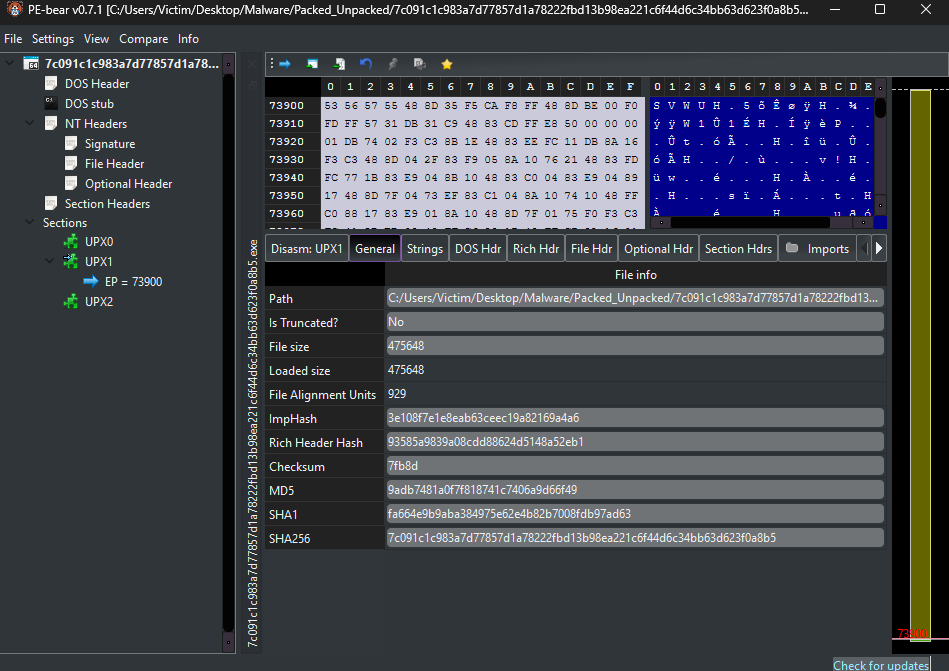
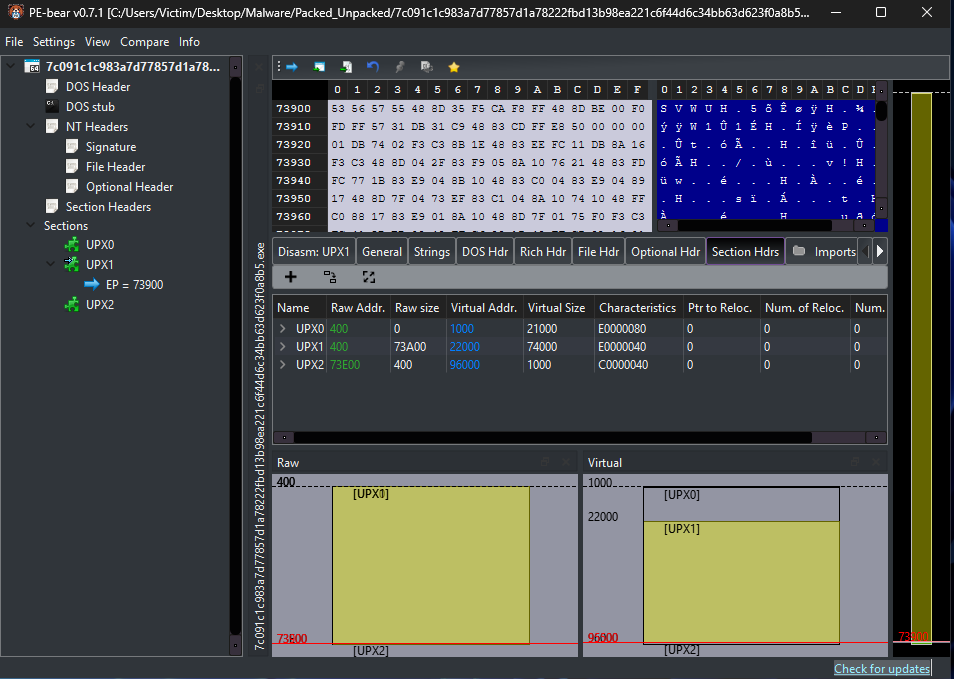
First, the malware was loaded into PE-bear for gathering general information, including structure of sections, file size vs. loaded size, hashes which will be used with VirusTotal later on, and UPX6 sections (UPX0, UPX1, UPX2), which can be an indicator that this malware was packed using UPX.
MD5: 9adb7481a0f7f818741c7406a9d66f49
VirusTotal
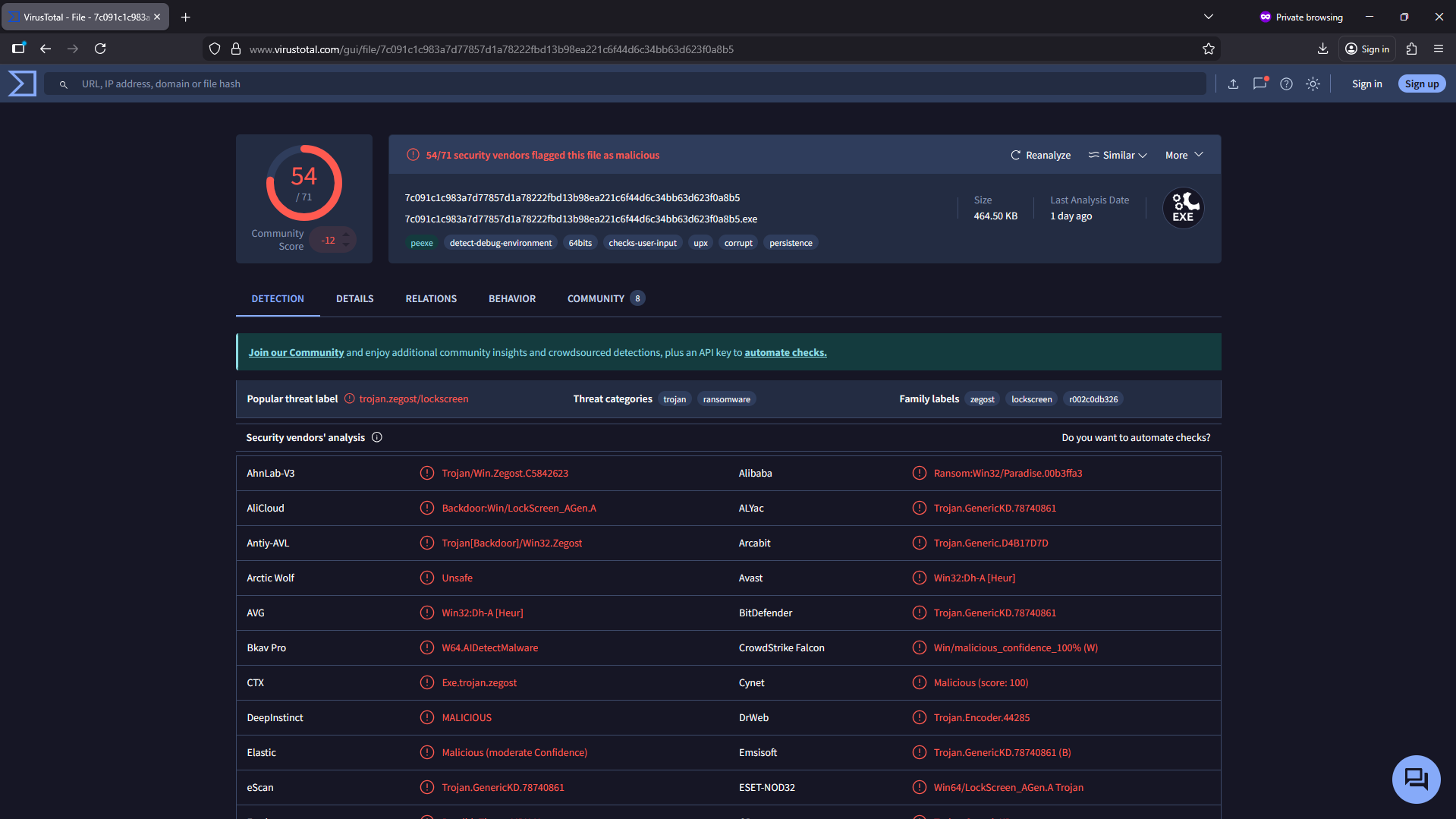
Taking one of the hashes, in this case the MD5, I checked for any suspicious flagging. And it came back with flagging 54/71, as seen here, this executable has some interesting alerts. The last analysis provided by Virustotal was conducted 1 day ago, so it remains very relevant.
Detect it Easy (DiE)
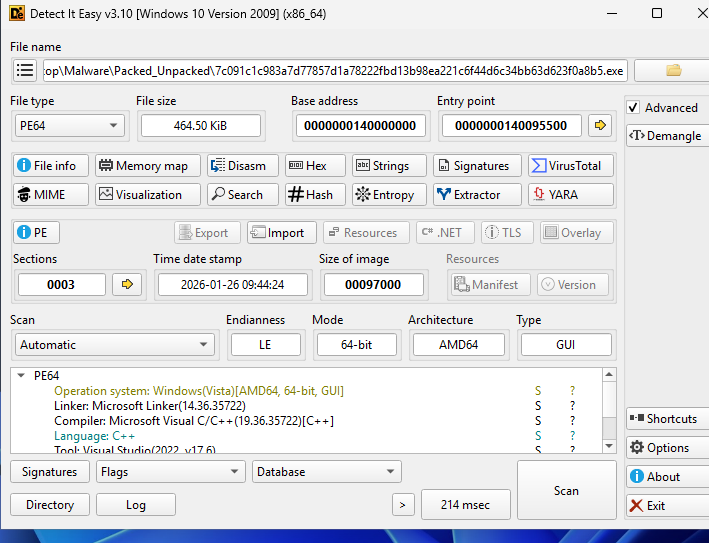
When taking a look at the malware with DiE, we can notice the OS this malware was made for: Windows(Vista)[AMD64, 64-bit, GUI]. We can see it was made for Vista; the reason behind it could be to support backwards compatibility and function from any Windows version from Vista onward. We can also see the architecture and that it is a GUI program. Among other things, we can also see the language that it was coded in, in this case C++, and the compiler used.
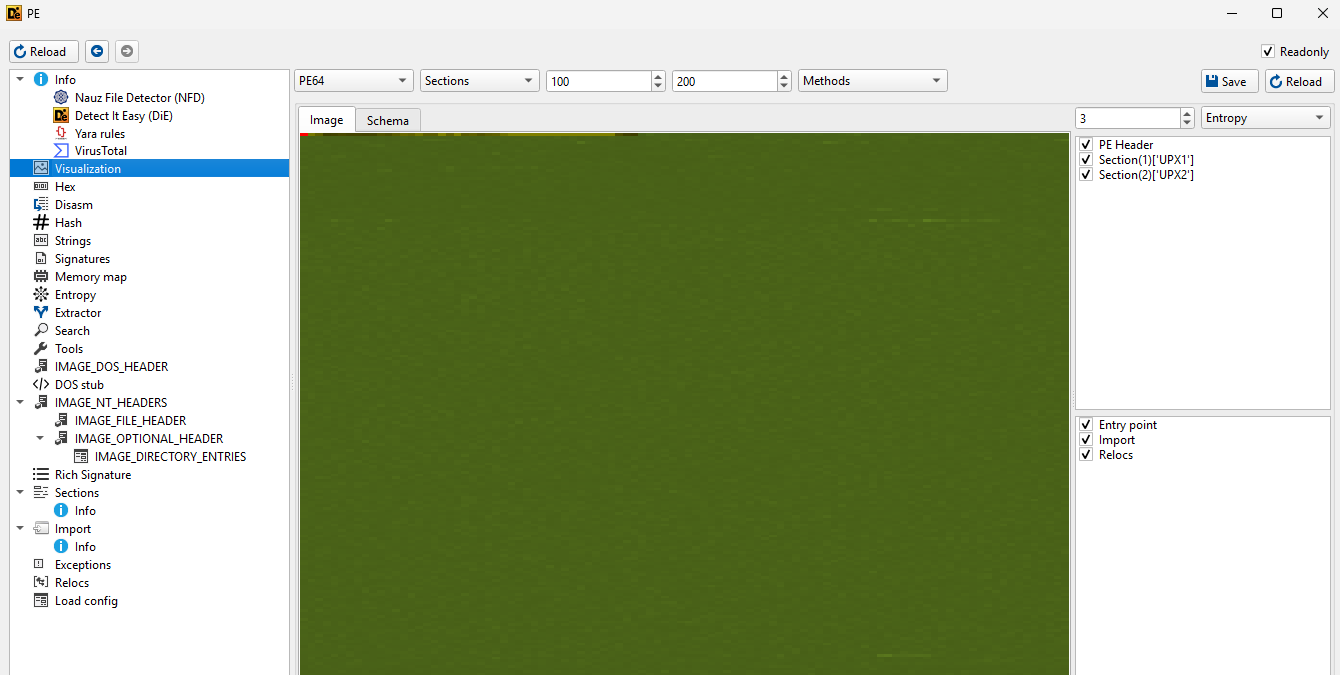
Here, I have tested for any graphical visualization, but even after tampering with the sections, nothing was shown.
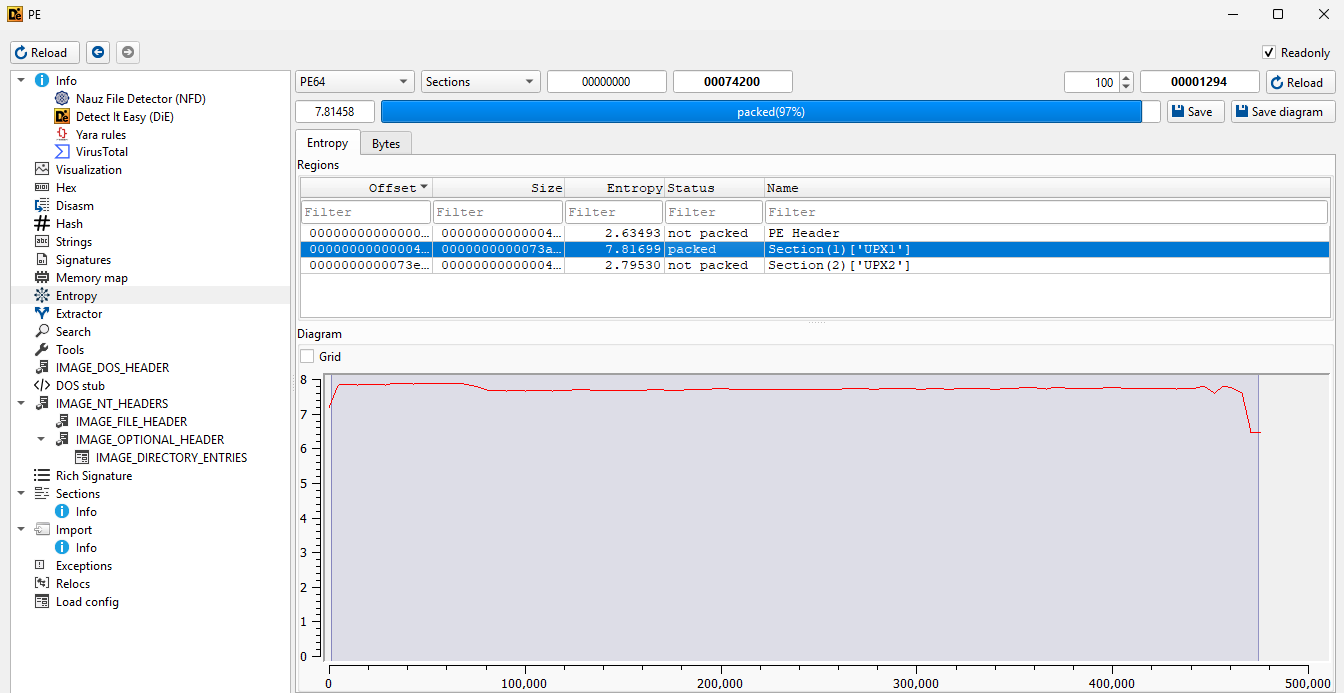
Moving onto Entropy, we can see that one section (Section(1)) shows a high average entropy level of 7.81699, which is an indicator that this part of the program has been packed and will unpack and run after the program is initiated. This is also supported by the 97% confidence provided by DiE that this section is indeed packed.
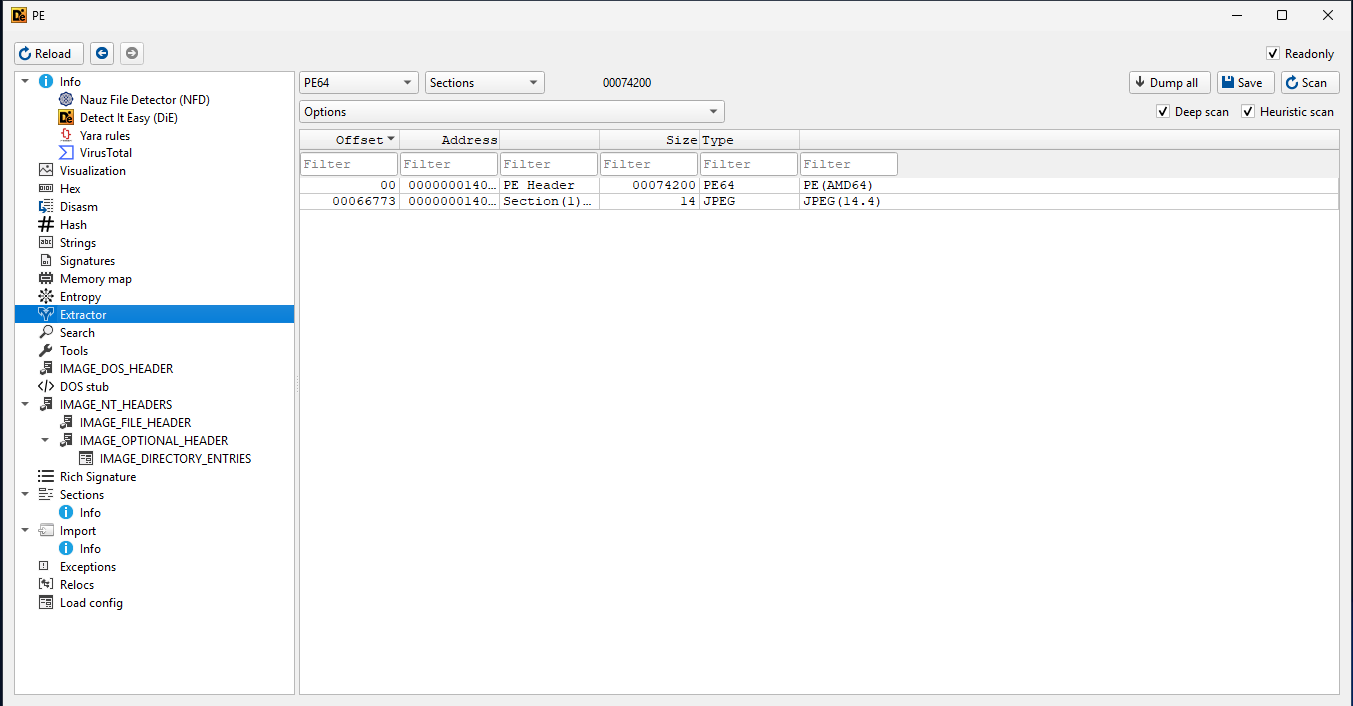
While here, I have chosen the extractor where we can further see the content and what parts this program is made of. One important thing to note here is that the Section(1) that I also encountered earlier seems to include a JPEG (this will later be confirmed after running the malware) that can potentially be used as a lockscreen when the program runs.
floss
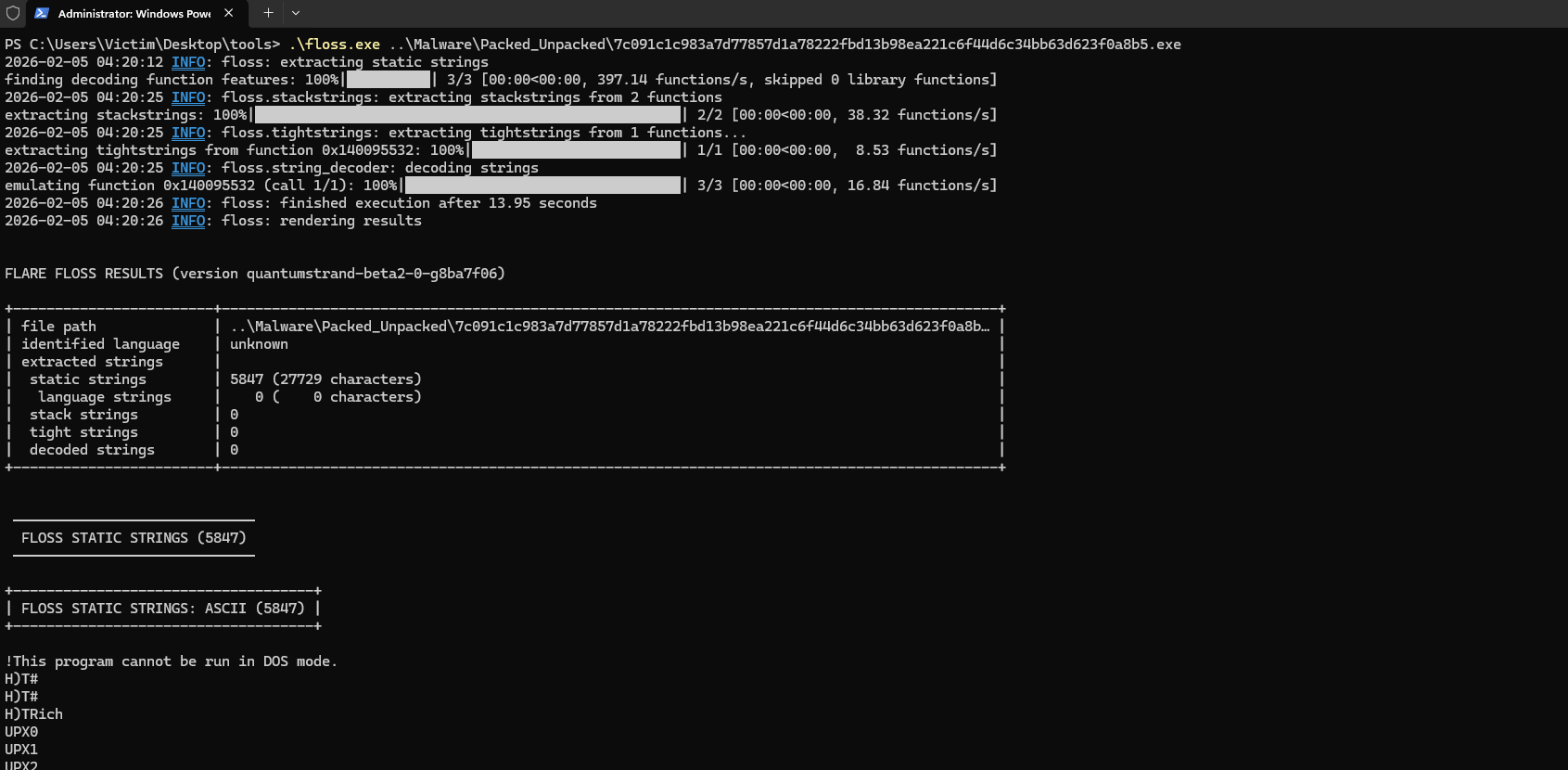
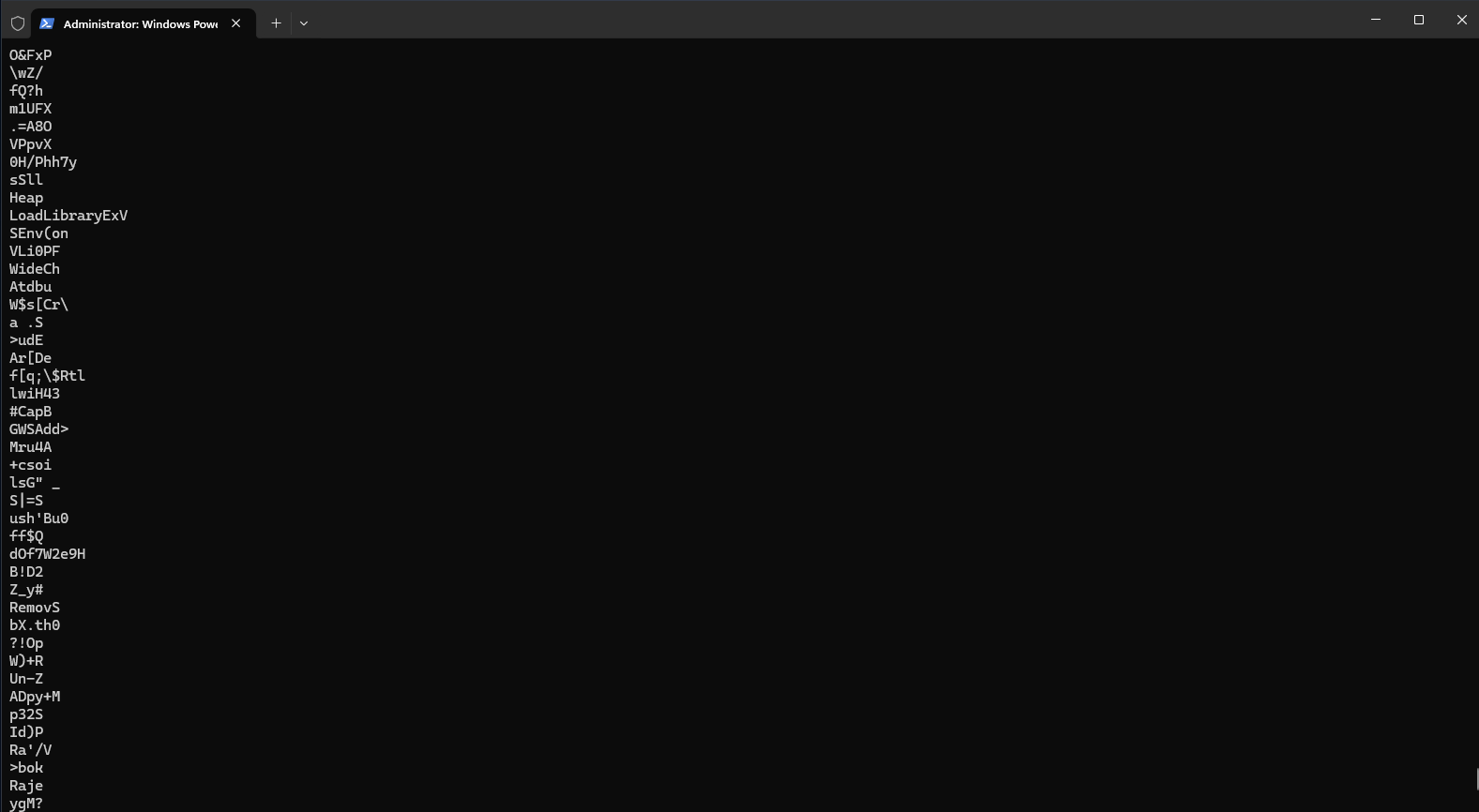
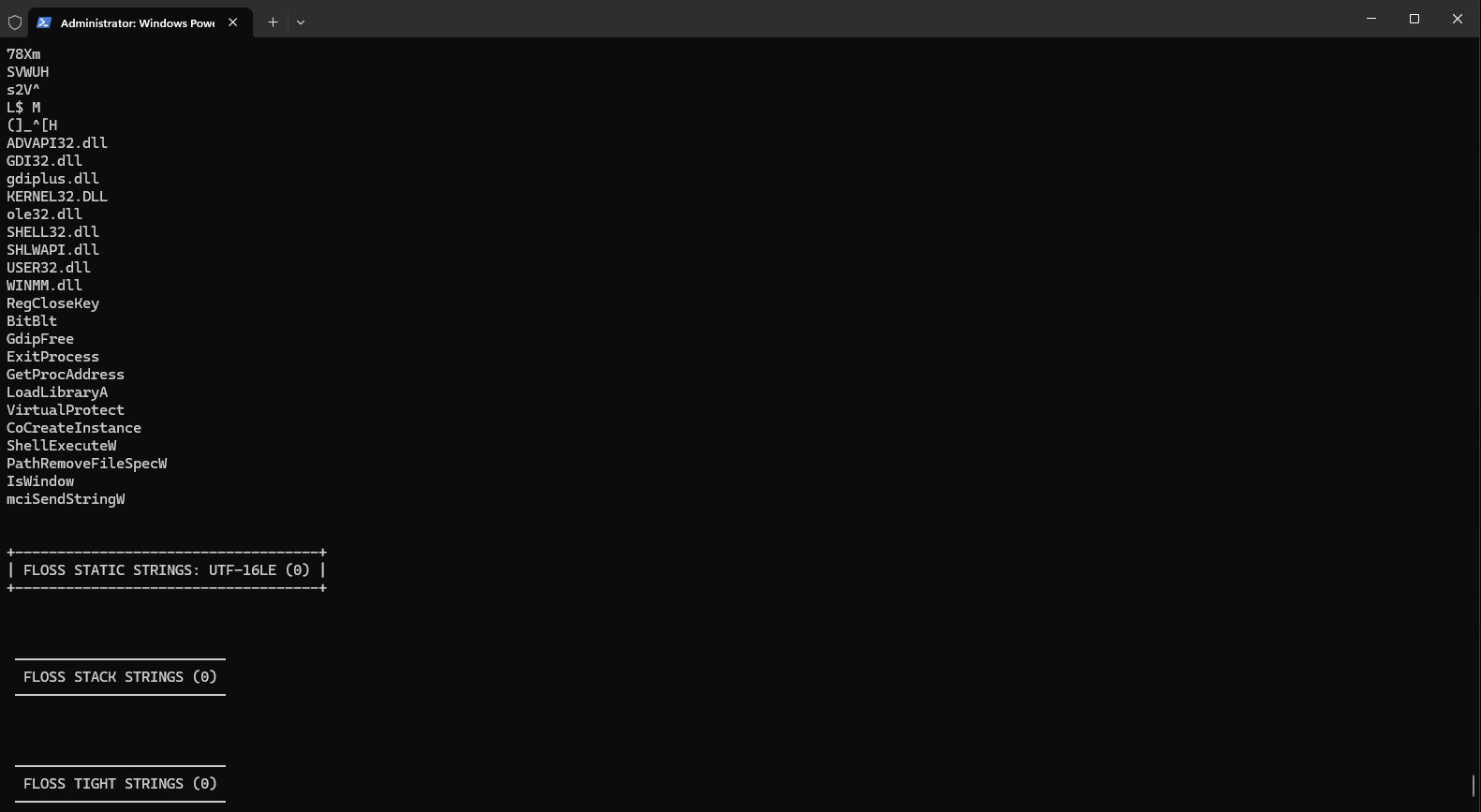
floss was used to run an analysis on the strings of the malware in search of any suspicious strings. As seen below, most of the strings are gibberish, but when approaching the end of the floss analysis, we can see some interesting strings such as LoadLibraryExV, VirtualProtect (used to change memory permissions), ShellExecuteW (executes commands via the shell), ADVAPI32.dll (a DLL that can be used to access the registry).
floss can be used in combination with grep to make looking for suspicious strings more efficient. More API imports will be analyzed in more detail further down.
PeStudio
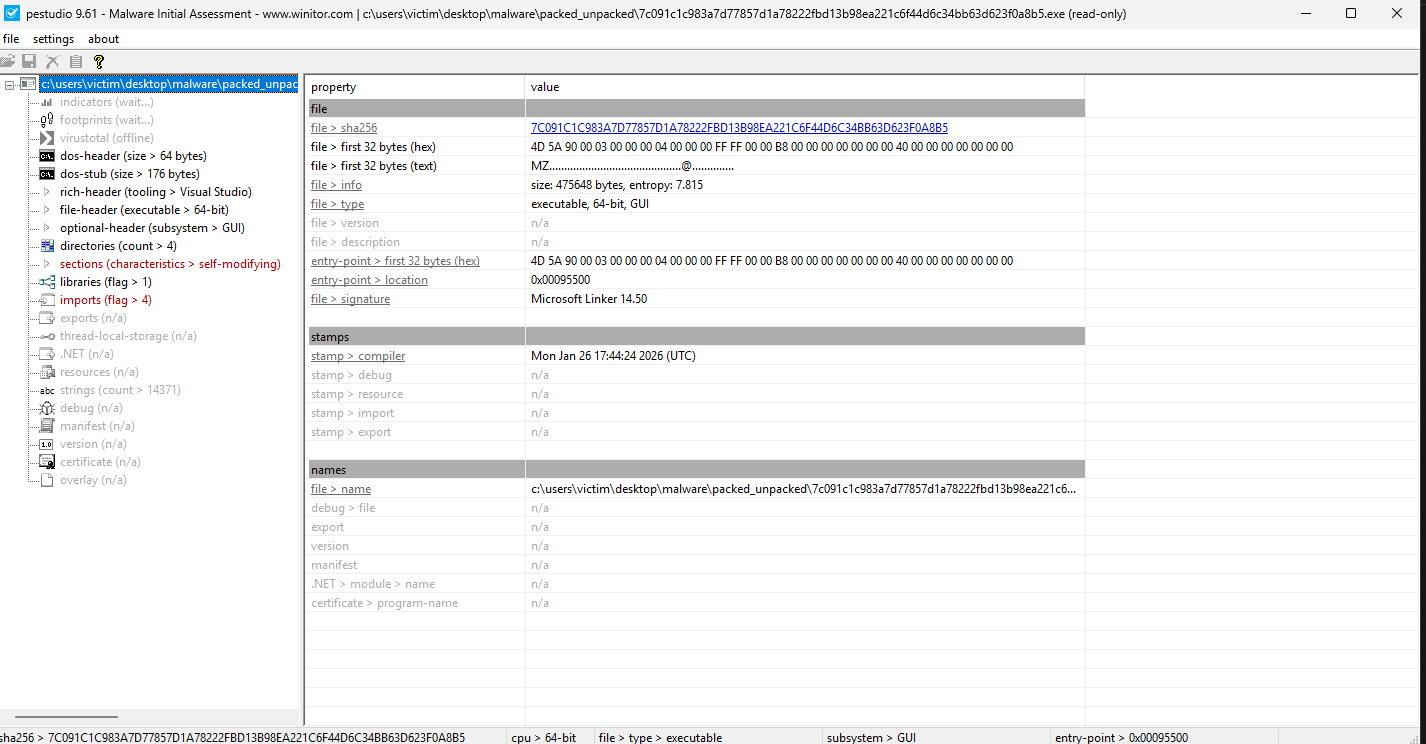
Taking a first look at PeStudio, we can see some general information that we’ve also seen before, and we can further confirm things like the hashes, architecture, the interface (GUI), the entropy, and in this case, we can also see a signature.
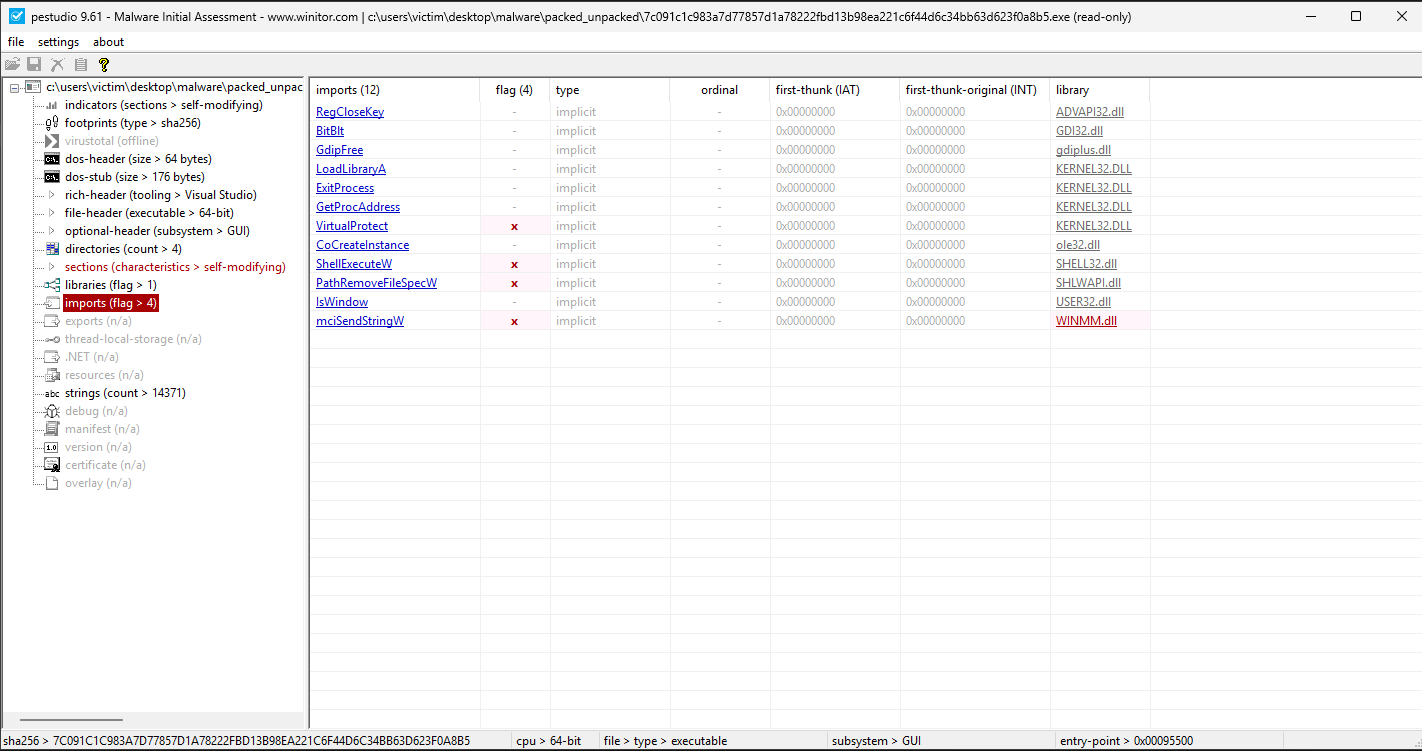
One of the most important things to take a look at with PeStudio is the API imports. As seen below, 4 of these imports are already flagged as suspicious. In combination with https://malapi.io, we can take a further look at what each call does and how they are relevant to finding out what this program aims to do.
VirtualProtect7
ShellExecuteW8
GetProcAddress9
BitBlt10
capa
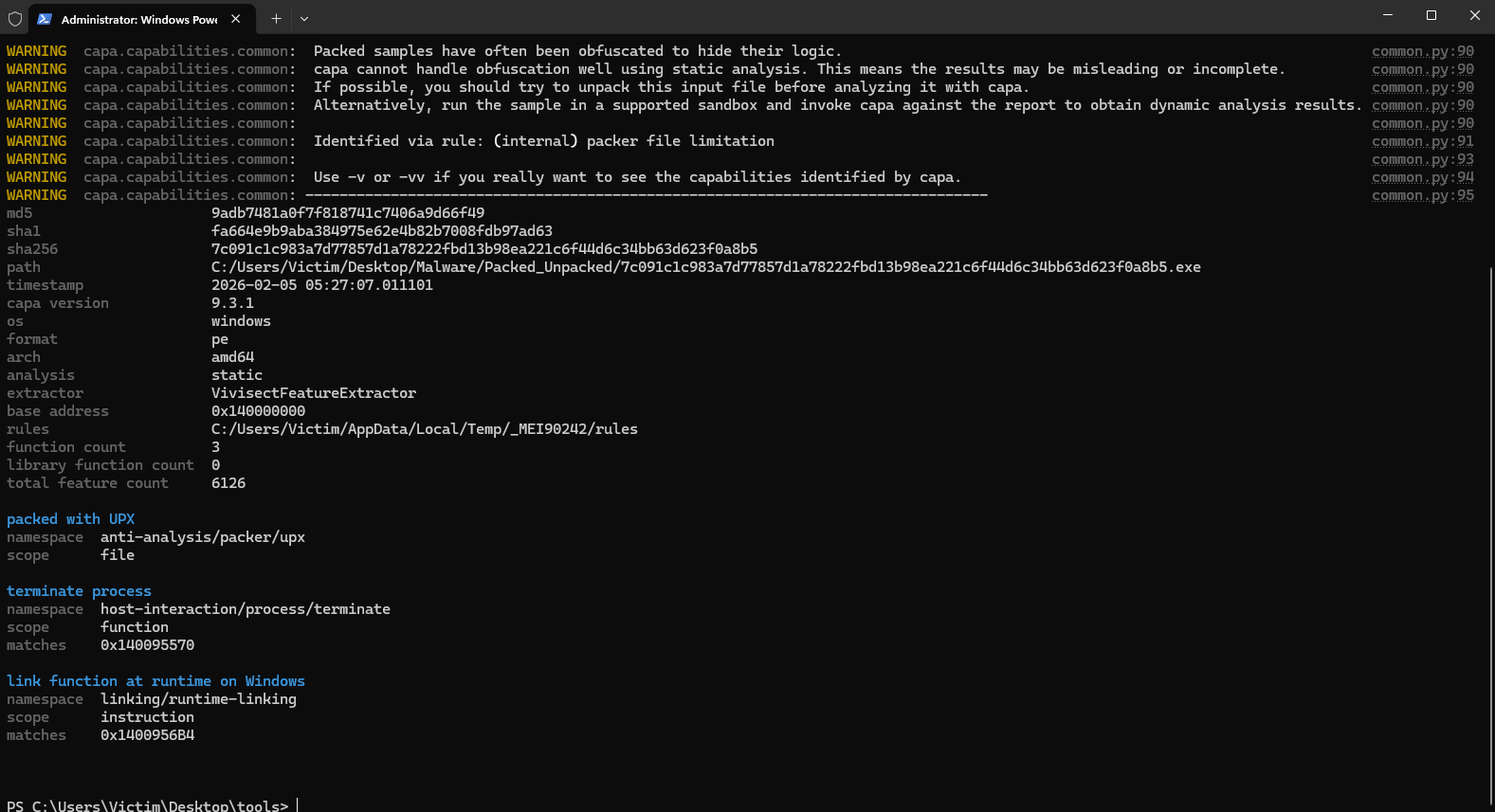
After running capa from the terminal, we can take a look at the information provided by it, confirming once more the hashes, along with other previously mentioned information. One important thing to note here is that capa confirms that this file was packed using UPX, just like we also had indicators before.
Executing the Malware!
After doing the most out of the Static Malware analysis, the next step before moving onto Dynamic Analysis was to run the malware. This execution is done in the isolated ENV, and the VM has a clean snapshot we can later revert to after the malware takes it’s effect on the system, thus making it a completly safe and no fall back process.
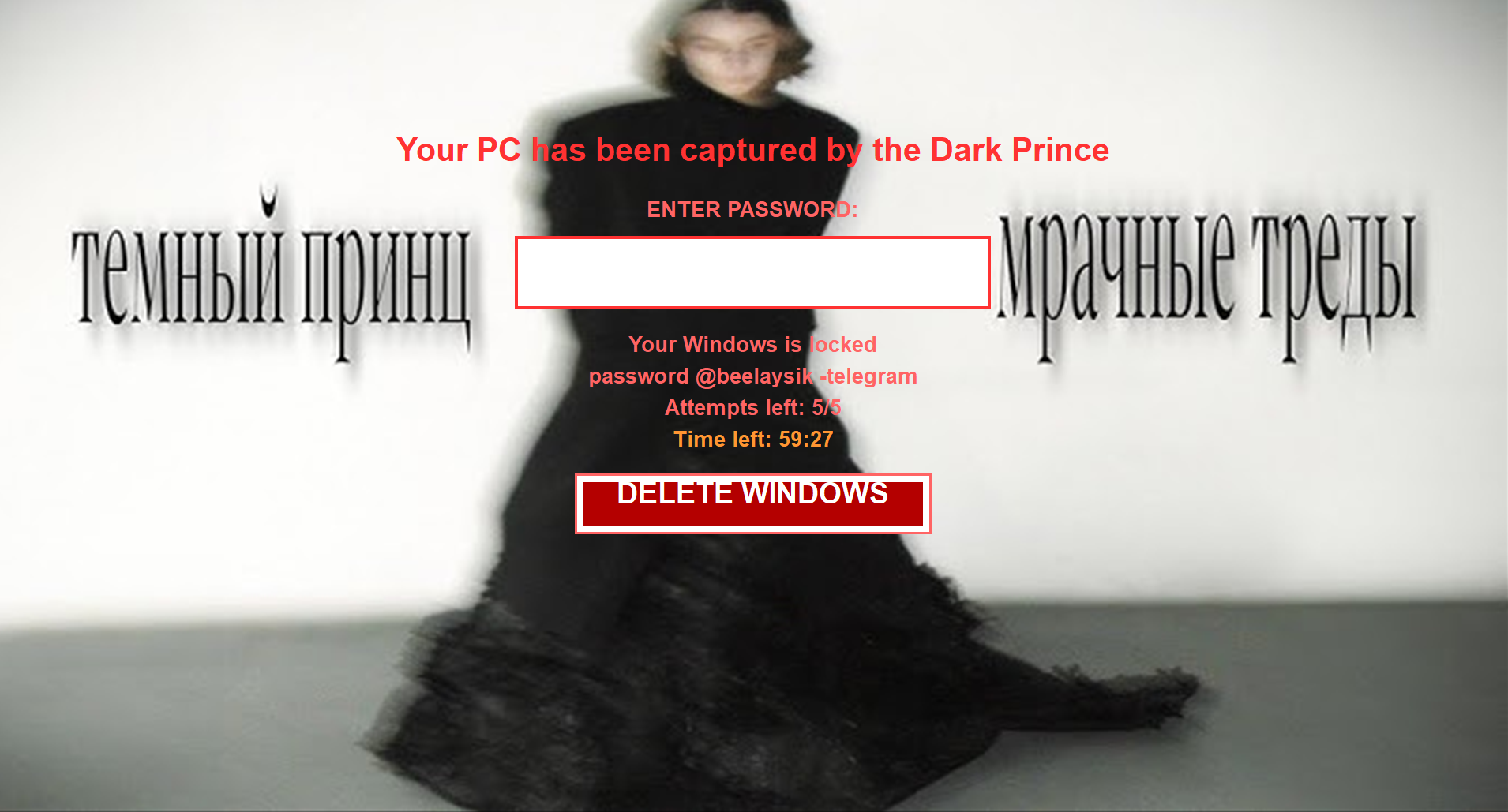
The pop up that showed after the execution is this, confirming that this malware indeed does lock your system in this lock screen, and you are required to pay to unlock it, or your system will be delted within the given time.
Results and Limitations
This project covers the basics of static malware analysis, with the aim to further understanding of how malware of this type works, executes, how to detect and prevent it, all in a reverse engineering fashion.
The static checks establish indicators and possible capabilities; imported APIs alone do not prove that a behavior occurred. The dynamic analysis walkthrough shows how I observe execution and compare it with static findings.
MITRE ATT&CK Mapping
Observed techniques
| Tactic | Technique | ATT&CK ID | Evidence from Analysis |
|---|---|---|---|
| Defense Evasion | Obfuscated Files or Information: Software Packing | T1027.002 | UPX0/UPX1/UPX2 sections, high entropy, and capa output indicate packed content. |
| Defense Evasion | Obfuscated Files or Information: Dynamic API Resolution | T1027.007 | GetProcAddress usage supports runtime API lookup to reduce obvious static signatures. |
| Collection | Screen Capture | T1113 | BitBlt import is consistent with screenshot/screen-grab capability. |
| Execution | Native API | T1106 | Imported APIs such as VirtualProtect and ShellExecuteW indicate direct WinAPI-driven execution behavior. |
-
PE-bear is a multiplatform reversing tool for PE files. Its objective is to deliver fast and flexible “first view” for malware analysts, stable and capable to handle malformed PE files. ↩︎
-
Detect It Easy (DiE) is a powerful tool for file type identification, popular among malware analysts, cybersecurity experts, and reverse engineers worldwide. Supporting both signature-based and heuristic analysis, DiE enables efficient file inspections across a broad range of platforms, including Windows, Linux, and MacOS. Its adaptable, script-driven detection architecture makes it one of the most versatile tools in the field, with a comprehensive list of supported OS images. ↩︎
-
The FLARE Obfuscated String Solver (FLOSS, formerly FireEye Labs Obfuscated String Solver) uses advanced static analysis techniques to automatically extract and deobfuscate all strings from malware binaries. You can use it just like
strings.exeto enhance the basic static analysis of unknown binaries. ↩︎ -
PeStudio is a tool to find suspicious artifacts within executable files to accelerate the first malware assessment. Using this tool, the analyst can easily spot the functionalities commonly used for malicious activities by malware creators. ↩︎
-
capa detects capabilities in executable files. You run it against a PE, ELF, .NET module, shellcode file, or a sandbox report and it tells you what it thinks the program can do. For example, it might suggest that the file is a backdoor, is capable of installing services, or relies on HTTP to communicate. ↩︎
-
UPX is an advanced executable file compressor. UPX will typically reduce the file size of programs and DLLs by around 50%-70%, thus reducing disk space, network load times, download times and other distribution and storage costs. ↩︎
-
VirtualProtect is often used by malware to modify memory protection (often to allow write or execution). Library: Kernel32.dll Associated Attack: Injection Documentation: https://docs.microsoft.com/en-us/windows/win32/api/memoryapi/nf-memoryapi-virtualprotect ↩︎
-
ShellExecuteW is used to perform an operation on a specified file. Library: Shell32.dll Associated Attack: Internet Documentation: https://learn.microsoft.com/en-us/windows/win32/api/shellapi/nf-shellapi-shellexecutew ↩︎
-
GetProcAddress is used to get the memory address of a function in a DLL. This is often used by malware for obfuscation and evasion purposes to avoid having to call the function directly. Library: Kernel32.dll Associated Attack: Injection, Evasion Documentation:https://docs.microsoft.com/en-us/windows/win32/api/libloaderapi/nf-libloaderapi-getprocaddress ↩︎
-
BitBlt is used to copy graphic data from one device to another. Spyware sometimes uses this function to capture screenshots. Library: Gdi32.dll Associated Attack: Spying Documentation:https://docs.microsoft.com/en-us/windows/win32/api/wingdi/nf-wingdi-bitblt ↩︎