This writeup covers Carnage, a Medium challenge on TryHackMe. I used Wireshark to analyze the network traffic from an infected workstation, starting with the initial download and following the connections made after it.
The analysis involves HTTP, TLS, DNS, and SMTP traffic, along with VirusTotal to check the suspected Command and Control (C2) servers. This follows on from the Dynamic Malware Analysis blog, where I also examined network activity after running the sample.
The answers are censored in the screenshots.
Scenario and Setup
In this scenario, Eric Fischer from the Purchasing Department at Bartell Ltd opened an email attachment and clicked Enable Content. Shortly after, the SOC received an alert about suspicious outbound connections from his workstation. The provided PCAP contains the traffic captured during this activity.
I started the room’s analysis machine, where carnage.pcap is located under Desktop/Analysis. I also downloaded the original capture from Brad Duncan’s Malware-Traffic-Analysis.net and compared its SHA-256 against the lab copy. Both matched, so I could work on the same capture locally with Wireshark and cross-check findings with TShark.
The capture contains 70,873 packets over roughly 21 minutes. Before looking at individual requests, I changed View → Time Display Format → UTC Date and Time of Day. This matters because Wireshark can otherwise display times in the local timezone, giving a different answer even when the correct packet is selected.
The analysis was done directly from the PCAP, without visiting the malicious destinations or executing the files it contains.
Finding the Initial Download
The first filter I used was:
http.request && tcp
Adding tcp removes the UDP discovery requests that can also match HTTP-related filters. Near the start, frame 1735 shows the workstation at 10.9.23.102 making a GET request for a ZIP archive over port 80.
Expanding Hypertext Transfer Protocol gives us the request path and the Host header. These identify the requested archive and the domain serving it. The UTC timestamp in the packet list answers when this HTTP request occurred.
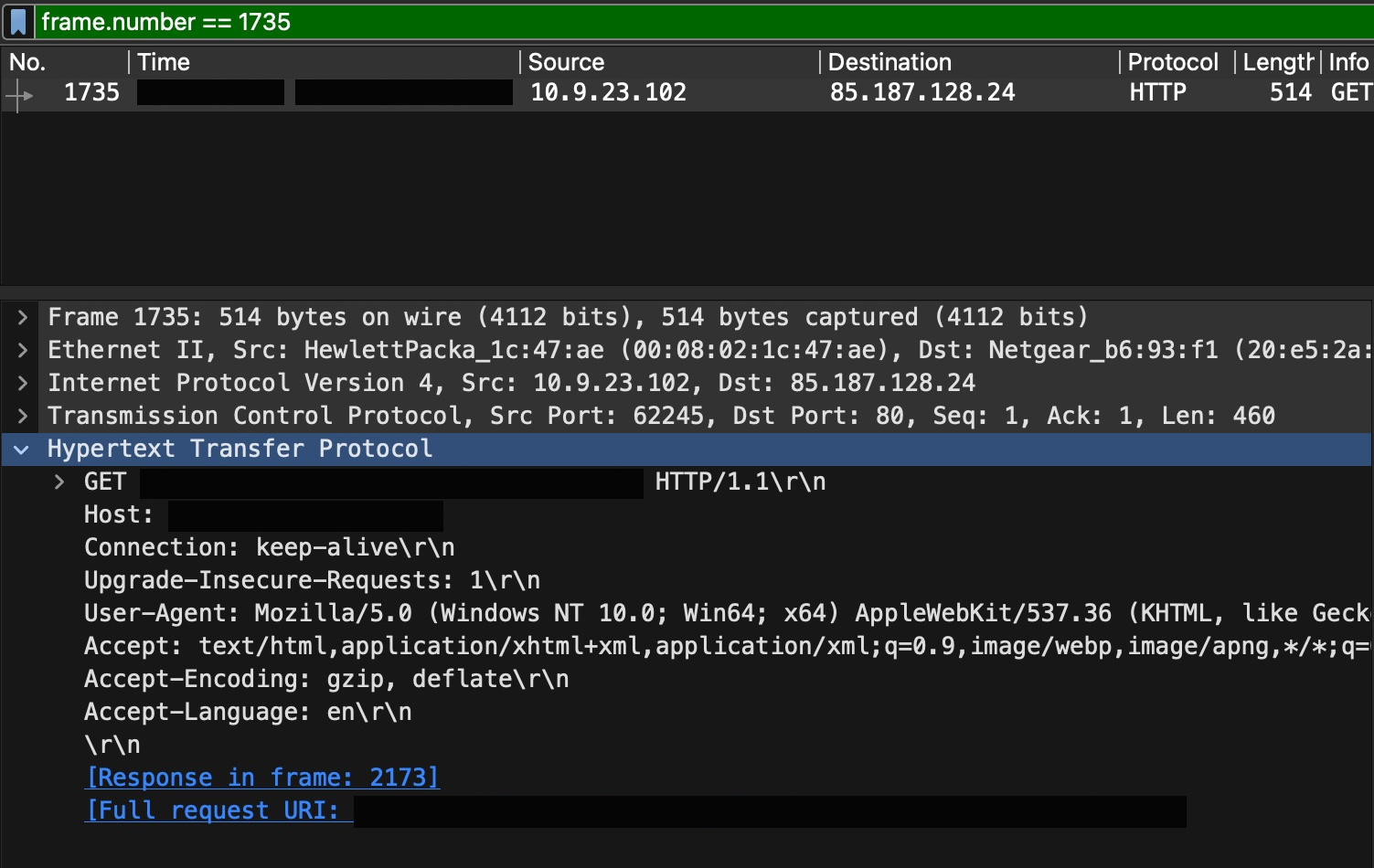
I took the timestamp from this GET request. The TCP handshake starts earlier, but the question asks for the HTTP connection to the malicious destination.
Looking Inside the Response
Next, I selected the request and used Follow → TCP Stream. This reconstructs the exchange between the workstation and the server. The relevant conversation is stream 73:
tcp.stream eq 73
The server returns HTTP/1.1 200 OK, followed by response headers and the archive bytes. The Content-Disposition header confirms that the response is an attachment. Further down, the PK signature marks the ZIP data, and an Office spreadsheet filename is readable in its metadata.
The filename is visible in the ZIP metadata, so I could identify it without extracting or opening the spreadsheet.
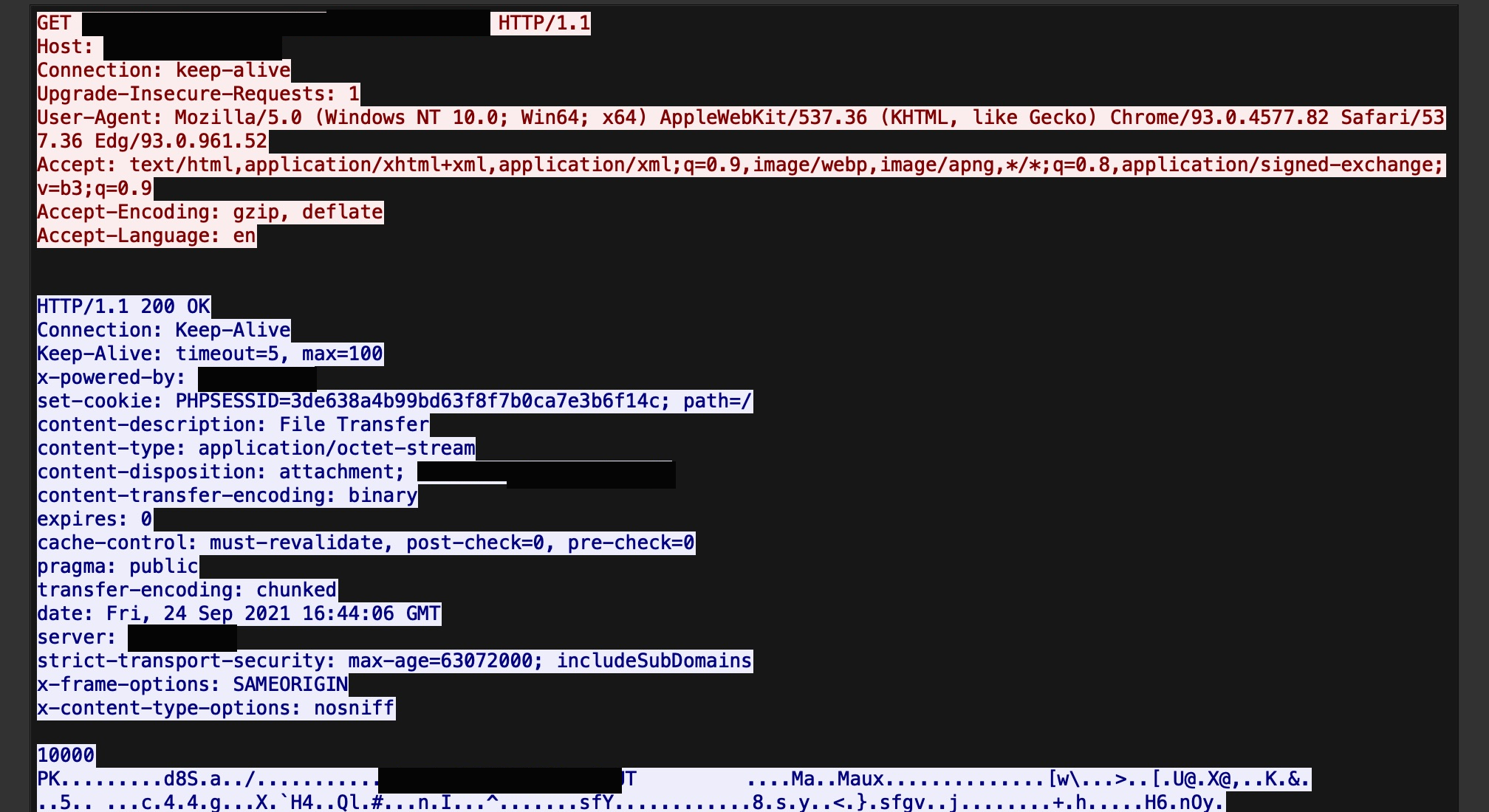
Taking a look at the headers, Server gives us the webserver name, while X-Powered-By contains the runtime and its version. The room accepts the latter for the version question, although this is a PHP version, not a version of the webserver itself.
Following the TLS Connections
After the archive transfer, the workstation connects to several destinations over TLS. To inspect the names requested during the handshakes, I used:
tls.handshake.type == 1
This selects Client Hello packets. The Server Name Indication (SNI) extension can expose the requested hostname even when the later application data is encrypted.
Looking at the connections just after the download, I narrowed it down to streams 90, 97, and 98. The same period also contains Microsoft traffic, which I kept separate from the three suspected delivery domains.

I checked these names against the capture author’s indicator list, which identifies them as loader download destinations. The names are visible through SNI, but the files transferred over these encrypted sessions are not readable from these packets alone.
Checking the Certificate
For the first of those conversations, I filtered for the server’s certificate message:
tls.handshake.type == 11 && tcp.stream == 90
Under Transport Layer Security → Handshake Protocol: Certificate, I inspected the certificate’s Issuer fields to identify the certificate authority. The Subject fields describe the certificate holder, so they should not be confused with the issuer.
The certificate gives us the issuer requested by the room. Having a valid certificate does not change the malicious activity associated with the domain.
Identifying the Cobalt Strike Servers
Moving onto the C2 activity, I reviewed the workstation’s other HTTP and TLS connections. Two destination addresses matched the Cobalt Strike infrastructure listed by the capture author.
Next, I checked both addresses in VirusTotal’s Community tab. The reports from September 2021 identify Cobalt Strike infrastructure and list the associated domains. I used those historical reports alongside the capture author’s indicators, since the current detection score alone does not describe what an address was doing in 2021.
To check how the domains related to those addresses, I examined the DNS responses:
dns.flags.response == 1
The capture contains responses mapping each relevant domain to its corresponding C2 address. Recording the packet and timestamp keeps that relationship tied to when the incident occurred.

Host Header vs. DNS Name
The first C2 address also receives HTTP requests. Following stream 163 exposes the request headers and a path made to resemble certificate-related traffic.
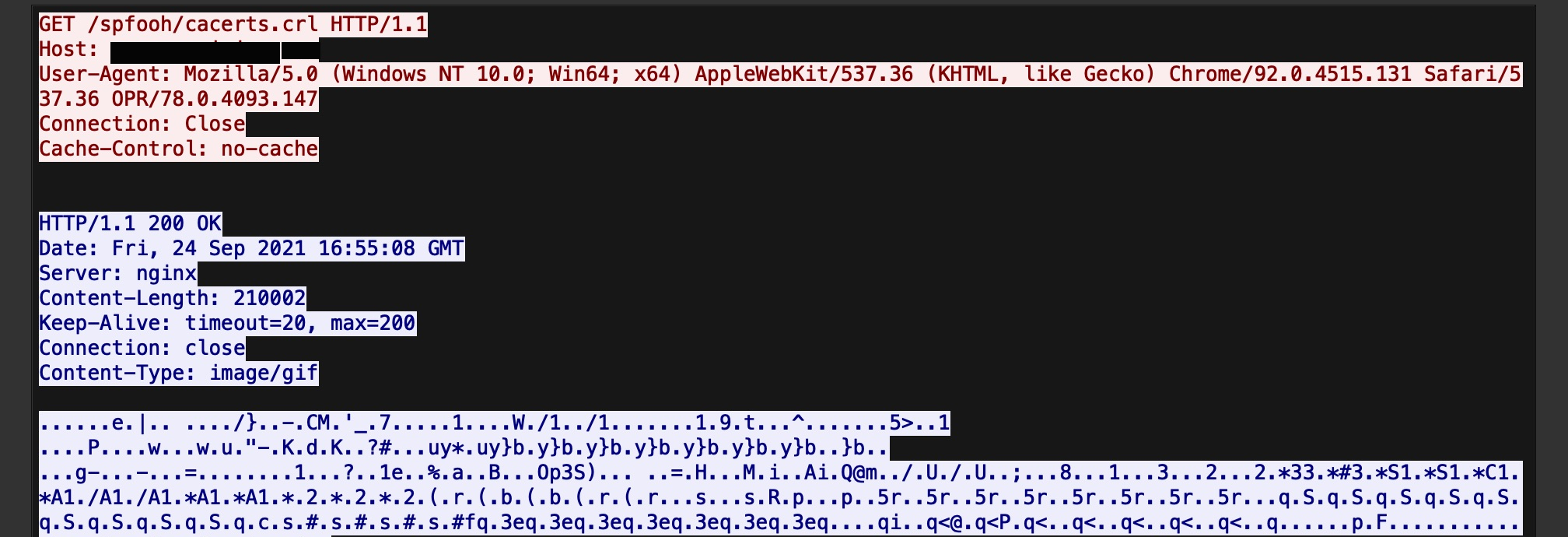
Here, the Host header is different from the domain found in DNS. The request uses a familiar certificate-related name, but it is being sent to the C2 address. Since the client supplies this header, it can be set to a name that has nothing to do with the server receiving the connection.
I recorded the destination IP, DNS name, and Host header separately, as the room asks for each of them.
Post-Infection Traffic
Another pattern appears when filtering for POST requests:
http.request.method == "POST"
The workstation repeatedly contacts the same domain using paths with a shared prefix followed by changing strings. The first request in this sequence is frame 3822, in stream 104.
Following the stream shows the Host header, request path, body, and the server response together. I used this to identify the post-infection domain, the repeated path prefix, and the response’s Server header.
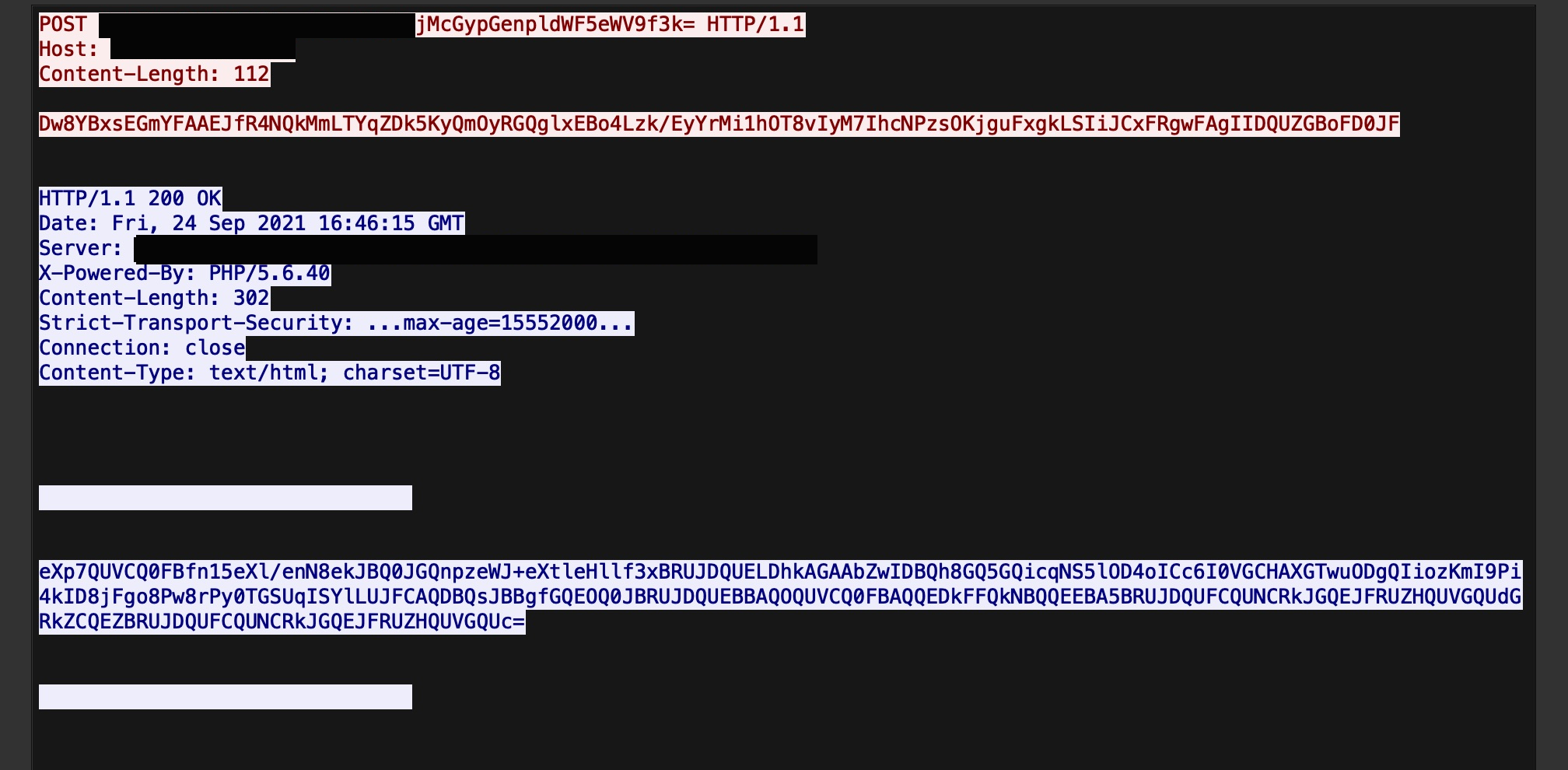
The packet-length question needs a separate check. Frame length, TCP payload length, and HTTP Content-Length measure different things. I checked the captured frame length in Wireshark and cross-checked it with:
tshark -r carnage.pcap -Y 'frame.number == 3822' \
  -T fields -e frame.len -e tcp.len -e http.content_length
This returns the three values side by side. Taking the HTTP body size as the packet length would give a different result.
The capture author identifies these repeated requests as Squirrelwaffle post-infection traffic. The changing strings are visible in the requests, but I did not decode them, so I could not establish what information they contained.
Checking the Victim’s Public IP
Later in the capture, the workstation queries a public-IP lookup service. I inspected outgoing DNS queries with:
dns.flags.response == 0
Once I located the service, I checked its earliest query, frame 24147. There are several later queries for the same name, so selecting one at random would give the wrong time.

For this answer, I used the time of the first DNS query, before the response and the later HTTPS connection. The DNS packet contains the requested name, not the public IP returned by the service.
Investigating the Spam Activity
The final part of the investigation covers SMTP traffic. To locate the envelope senders, I used:
smtp.req.command == "MAIL"
The first matching command appears in frame 28576. It contains MAIL FROM, which identifies the SMTP envelope sender. This can differ from the address shown in an email’s visible From: header.

For the total, I switched back to the broader filter:
smtp
I checked the displayed-packet count and Statistics → Protocol Hierarchy. Both agree on the SMTP packet total, which I also cross-checked with TShark. Counting only the MAIL commands would miss the rest of the SMTP exchange.

This confirms the outbound SMTP activity. The total is a packet count, so it includes commands and responses rather than counting individual emails.
Results
All 20 traffic-analysis answers were accepted, completing the room.
One detail worth mentioning is that the scenario describes a Word attachment, while the archive in the actual capture contains an Excel spreadsheet. I followed what was visible in the packets when answering the questions.
Starting from one HTTP request, I was able to follow the archive download, the loader destinations, C2 communication, and finally the spam activity. The IP addresses and domains identify specific destinations, while the repeated requests show how the malware communicates.