This post is the second part of the rozetta project writeup. Pt.1 covered what the tool is and why I built it. This part goes into the actual workflow: how the agent loop works, what tool calls look like, how it handles binaries and services, and where it still fails.

The Agent Loop
When a target is sent to rozetta, the agent does not follow one hardcoded pipeline. It runs in a loop. The model sees the current context, chooses a tool, the backend runs that tool, and the output is added back into the session.
The loop continues until the agent submits a result or reaches the step limit. This matters because reverse engineering is not always linear. Sometimes strings_extract is enough. Sometimes strings are useless and the next step has to be disassembly. Sometimes a guessed algorithm needs to be tested with a Python script before it is trusted.
The important part is that every step is based on the evidence from the previous step.
What A Run Looks Like
Here are three real analysis patterns from testing.
XOR validation binary
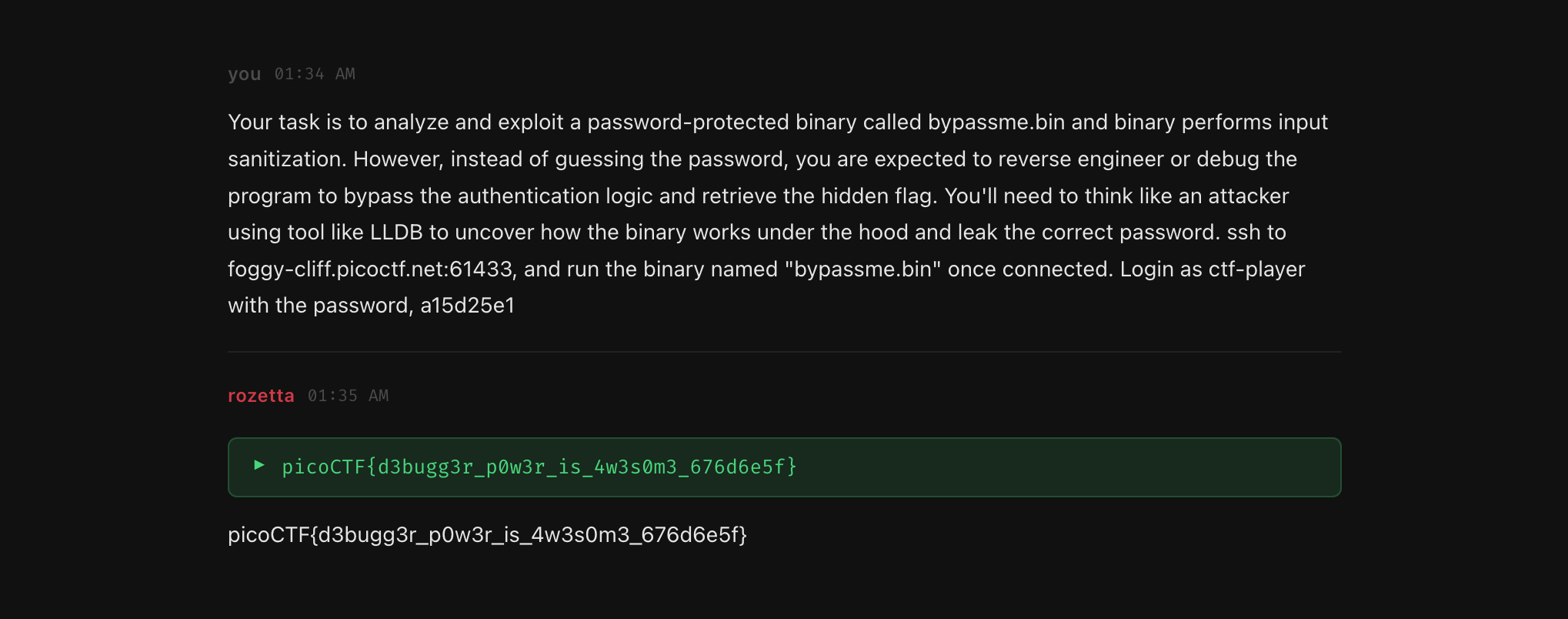
The binary accepted an input through argv. rozetta started with strings_extract, found a suspicious 16-character string, then moved into disassemble to inspect the main function. From there it traced the comparison loop and identified an XOR key of 0x37. After that it used write_and_run_script to decode the target string and submit the result.
Total: 6 steps.
PE password check
For a 32-bit Windows executable, rozetta first used pe_analyze and found imports like strcmp and MessageBoxA. Then it listed functions, disassembled the entry point, and followed execution into the function that called strcmp. The comparison target was stored in .rdata, so the agent used a hex dump to recover it.
Total: 9 steps.
Remote math service
For a remote service, the agent used tcp_probe first to understand the interaction. The service sent arithmetic expressions and expected answers. rozetta then wrote a socket script with write_and_run_script, connected to the service, parsed the expressions, sent answers, and printed the final response.
Total: 4 steps.
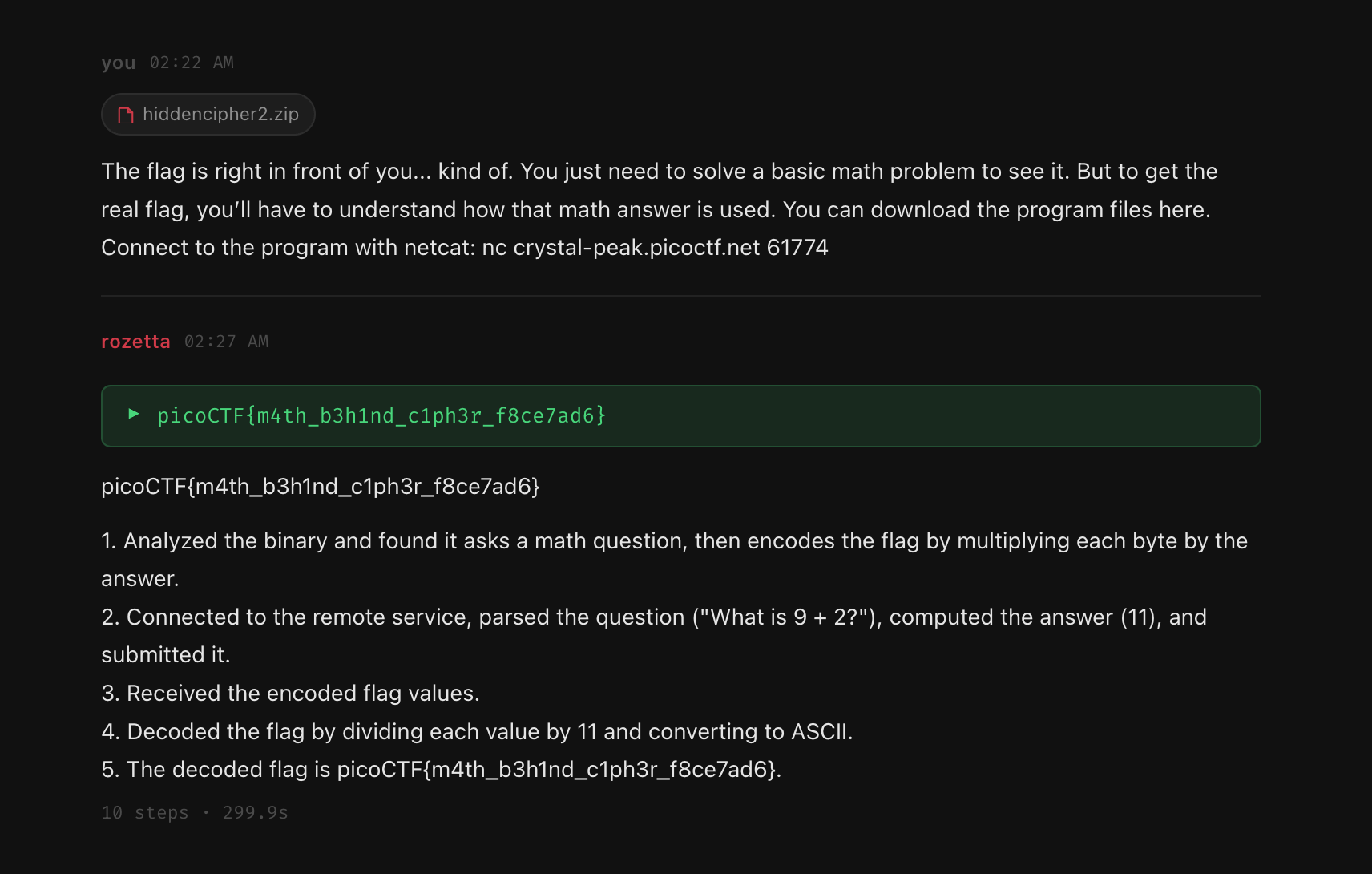
This is the main thing I like about the workflow. The agent is not doing magic. It is doing the same sequence a human would do: inspect, make a guess, test it, then move forward.
Tool Dispatch And Execution
The tool registry maps tool names to real executor functions. When the model calls a tool, the backend checks the arguments, runs the tool, captures stdout and stderr, strips ANSI output, truncates long results to around 1,500 characters, and sends the result back to the model.
That truncation matters because raw disassembly or radare2 output can get huge. If the agent needs more detail, it can call the same tool again with a narrower address range or a different target.
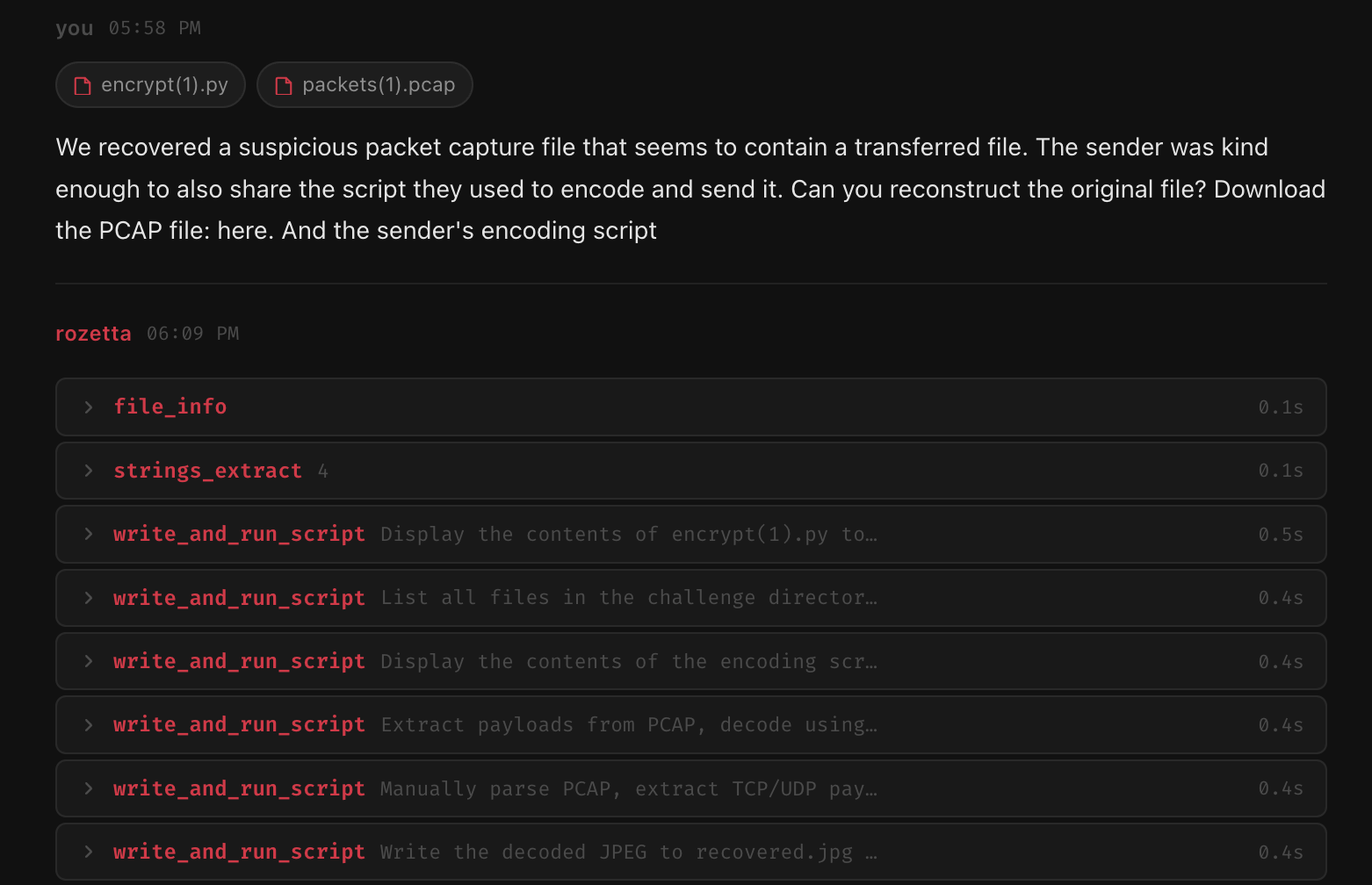
write_and_run_script is one of the most important tools. It lets the agent write Python, save it to a temporary file, run it, and read the output. In practice this is used for:
- Decoding encoded data
- Testing a guessed algorithm
- Parsing hex dumps
- Interacting with a socket service
- Reconstructing files or payloads
Packed Binaries
Packed binaries add another layer because the visible code is not always the real payload. rozetta starts with check_packer, entropy analysis, and section inspection. If it is UPX, unpack_upx handles the normal case. If there are embedded files, binwalk_scan can help find them.
For custom packers, the harder path is emulation. The agent can use emulate_function with Unicorn Engine, set up memory state, and try to emulate the unpacking stub until it reaches something that looks like the original entry point.
This works for simple stubs, but it is not perfect. Multi-layer packers, anti-emulation checks, TLS callbacks, and OS-specific behavior can break this approach.
YARA Scanning
yara_scan gives the agent a fast way to check known patterns. The built-in rules cover malware-family strings, keylogger patterns, common C2 strings, crypto constants, packers, and reversing challenge patterns.
When a YARA rule matches, the agent gets the string and offset. That can save time because it gives a direct location to inspect instead of relying only on entropy or guessing from strings.
Failure Modes
This part is important because rozetta is not perfect.
Obfuscated control flow can confuse the analysis. Junk code, opaque predicates, overlapping instructions, and flattened control flow can make the disassembly misleading. Capstone is mostly linear, so it can follow code that is not the real logic.
Long dependency chains are also a problem. If the analysis takes 10-15 steps, the model can lose track of something it saw earlier. Sometimes it repeats a tool call or does not connect an observation from an earlier step with the current decision.
Novel algorithms are harder. If the binary uses a custom encoding or crypto routine that does not match known patterns, the model has to reason from the assembly. Stronger models do better here. Smaller models tend to guess common things like XOR or Caesar even when the assembly says something else.
Anti-debug and anti-emulation can also break dynamic analysis. Checks like IsDebuggerPresent, timing checks, and hardware-breakpoint checks can make run_binary or emulate_function produce misleading results.
Knowledge Base And RAG
Before the agent starts, rozetta searches its knowledge base using the target goal or filename. The retriever uses a small surface area: name, keywords, and the first part of each entry. The top results get added into the system prompt, capped at around 2,000 characters.
The knowledge base has five main groups: patterns, techniques, payloads, CTF writeups, and reference data. This helps most when the target matches a known pattern. For example, a known XOR pattern can take about 6 steps with the knowledge base, while without it the same kind of target can take 10-15 steps because the agent explores more.
Current State
Right now rozetta works best on mechanical reverse engineering tasks: crackmes, simple obfuscation, remote services, common packing, encoding layers, and analysis where the next step can be decided from tool output.
The realistic expectation is that it helps with the repetitive parts. It can run tools, read outputs, write scripts, and keep the reasoning in one place. A human still needs to check the result, guide hard targets, and catch wrong assumptions.
The public download repository is available at github.com/amar-i/rozetta. It only includes the packaged DMG and release files, not the app source code.
For this project, that is enough to make it useful. It does not replace a reverse engineer, but it does remove a lot of the tool-switching and small manual steps that slow the process down.