This project covers rozetta, a macOS reverse engineering agent I built to make binary analysis feel less scattered. The main idea is simple: instead of jumping between a terminal, disassembler, scripts, packet tools, and notes, I wanted one place where I could drop a target, describe what I want to understand, and watch the agent use the toolchain step by step.

rozetta is named after the Rosetta Stone, because the whole point is to take something that is not readable at first and slowly make it understandable. In this case, the unreadable thing can be a binary, a weird encoded blob, a packed executable, a packet capture, or a remote service.
What rozetta Is
At its core, rozetta is a desktop app with a chat-style interface and a reverse engineering backend. You can drop in a binary, attach files, paste a problem description, or just ask a question. From there the agent decides which analysis tool to run, reads the result, and continues from that evidence.
Interface
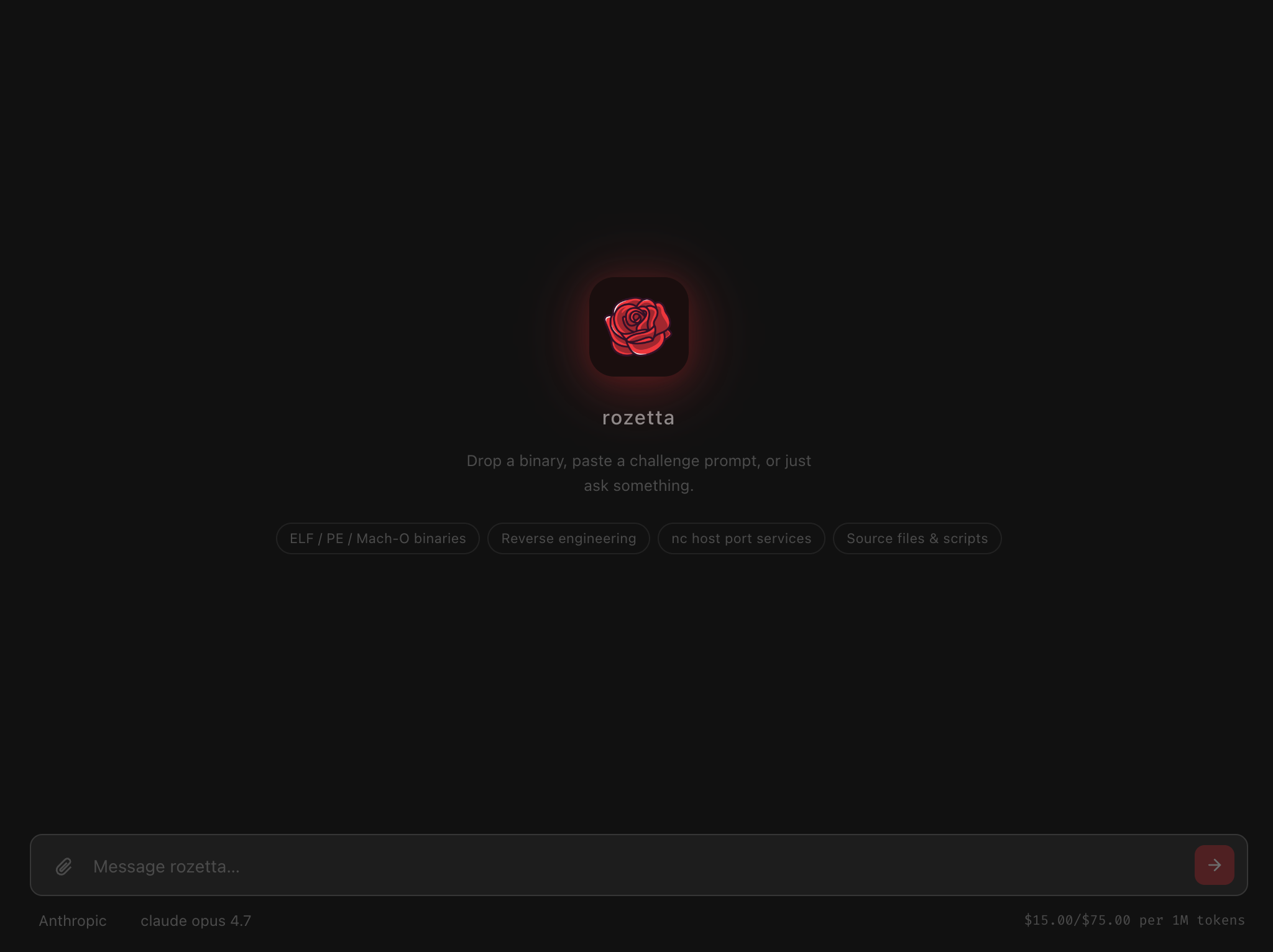
The interface is dark and minimal. The middle of the app keeps the focus on the current analysis session, while the bottom input bar is where files and prompts go in.
Backend
What I wanted here was not just another wrapper around an AI chat. The important part is that the agent can actually run tools. It can inspect file headers, extract strings, look at imports, disassemble functions, run scripts, test guesses, connect to services, and then explain what it found.
The basic workflow looks like this:
Target + question
      |
      v
Tool choice -> Tool output -> Reasoning -> Next tool
      |
      v
Conclusion or result
Why I Built It
Reverse engineering usually becomes a lot of context switching. First I check the file type, then strings, then sections, then maybe the imports, then disassembly, then I write a small script, then I go back and compare the result with what I saw earlier. None of these steps are too hard by themselves, but keeping the whole chain in my head is the annoying part.
That is where an agent makes sense. If the model has access to tools and the outputs stay in the same conversation, it can keep track of what already happened and decide what should come next. The goal was to test whether that workflow could be reliable enough to be useful for real reverse engineering work, not just for explaining concepts.
The project is mostly about removing the annoying parts:
- Tool switching between terminal output, scripts, disassemblers, and notes.
- Output tracking when one observation becomes useful ten steps later.
- Small experiments like decoding strings, checking bytes, or testing an algorithm.
- Repeatable analysis where the same first steps happen for almost every target.
What It Can Analyze
rozetta is built around binary and reverse engineering work. The main target types are:
- Reverse engineering practice binaries: small validation programs, crackmes, encoded checks, and obfuscated logic.
- Suspicious binaries: PE and ELF parsing, import tables, entropy checks, YARA scans, packing indicators, and suspicious API usage.
- Binary exploitation targets: vulnerable functions, code paths, emulation, patching, and small ROP-related analysis.
- Remote services: simple network protocols, math services, socket interaction, and scripted communication.
The workflow stays the same across these cases. Give rozetta the target, give it the goal, then let it work through the tools and evidence.
The Toolchain
The agent has 34 tools available. These are grouped around the normal analysis process:
Static analysis
This starts with file_info, strings_extract, parse_headers, list_imports, list_exports, list_sections, list_functions, hex_dump, search_bytes, search_crypto_constants, and entropy_analyze.
These are the first checks I would normally run manually anyway. They answer the basic questions first: what kind of file is this, what architecture is it, what strings are visible, and what parts of the binary look interesting.
Disassembly and code navigation
This is handled with disassemble, decompile, xrefs_to, xrefs_from, and r2_command.
Once the easy evidence is collected, this is where the agent can start following logic instead of only reading metadata. This is useful for things like password checks, comparison loops, encoded constants, or suspicious function calls.
Format-specific analysis
This uses pe_analyze, elf_analyze, and macho_analyze for deeper parsing of Windows, Linux, and macOS binaries.
For example:
PE    -> imports, sections, suspicious Windows APIs
ELF   -> symbols, segments, Linux binary layout
Mach-O -> macOS headers, load commands, linked libraries
Dynamic and scripted work
This uses run_binary, ltrace_trace, strace_trace, emulate_function, and write_and_run_script.
The most useful tool in practice is often write_and_run_script. A lot of reversing comes down to “I think this is the algorithm, let me test it.” With that tool, the agent can write a Python script, run it, inspect the output, and continue.
Packing, patching, and network work
This includes binwalk_scan, check_packer, unpack_upx, patch_bytes, ssh_exec, tcp_connect, tcp_probe, fetch_url, yara_scan, and submit_solution.
This is the part that makes rozetta feel more like an actual reverse engineering workspace instead of a text-only assistant. It can check for packing, unpack simple UPX cases, patch bytes, probe a service, or use YARA rules to find known patterns.
The AI Layer
rozetta supports both OpenAI and Anthropic models. The idea is not that every model performs the same. Smaller models can handle straightforward checks and simple encodings, but longer multi-step analysis works better with stronger models because they need to remember earlier observations and make better tool choices.
The default step limit is 50. Each step is usually one tool call. The model chooses the tool, the backend runs it, the result goes back into the conversation, and the loop continues.
Step 1: choose a tool
Step 2: run the tool
Step 3: read the output
Step 4: decide what changed
Step 5: continue or stop
Knowledge Base
rozetta also has a small built-in knowledge base. Before the agent starts, it searches known patterns and injects useful context into the system prompt. The collections include:
- Reverse engineering patterns
- Techniques
- Payload and script templates
- CTF writeup excerpts
- Reference data
This helps when the target matches something common, like XOR encoding, base64 layers, anti-debug checks, packing signatures, or known crypto constants.
Current Setup
The app is built for macOS. It uses a Python environment for the analysis backend and needs Python 3.11 or later. It also needs an API key for the model provider. Since the app is unsigned, macOS may require allowing it from System Settings → Privacy & Security on first launch.
The minimum setup is:
- macOS app for the interface.
- Python 3.11+ for the analysis backend.
- Model API key for OpenAI or Anthropic.
- Reverse engineering tools available locally depending on the target.
The public download repository is here:
That repo only contains the packaged DMG, icon, checksum, and download notes. The source code is not included there.
This first post is the framing post. Pt.2 goes into what the agent loop actually does, what a run looks like, where the tools fit, and where the current version still struggles.